Digital Marketing
How to Rank on Google Maps in Malaysia: GBP Checklist
A Google Business Profile checklist for Malaysian businesses that want the Maps pack: categories, reviews, photos, posts, consistency and the website.
 By Zahid Aramai
On every money search for a local service in Malaysia, “web designer kl”, “klinik gigi shah alam”, “renovation contractor puchong”, the Google Maps pack sits above the first organic result. Three businesses get that box. Everyone else is below the fold on a phone. This checklist is how you get into the three, and it costs nothing but attention.
I set up and tidy Google Business Profiles as part of every business website I build, and the same dozen problems come up every time. Work through the list in order.
How Google decides who gets the Maps pack
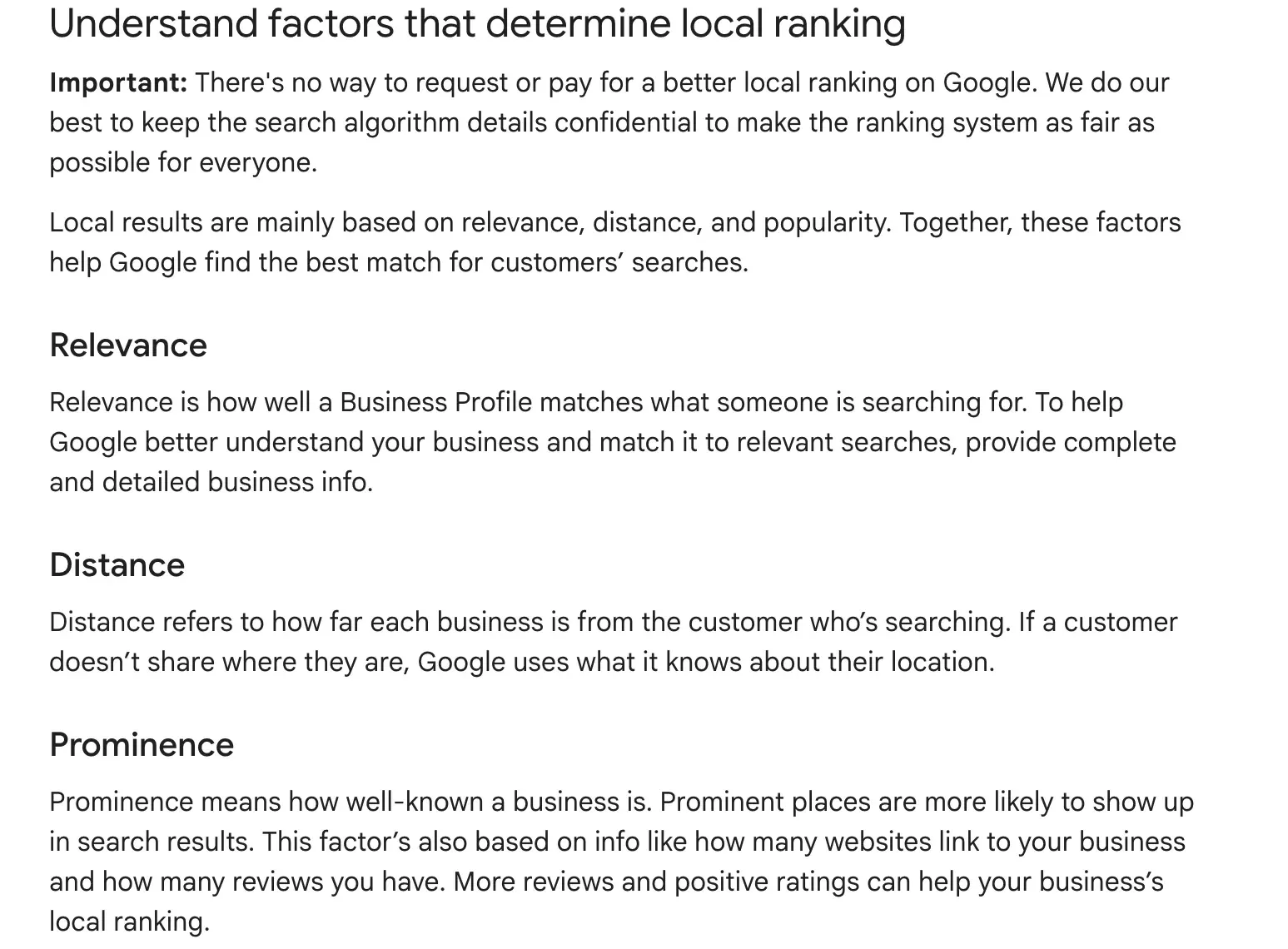
Google says local results are based mainly on three things: relevance, distance and prominence. Knowing them tells you which items below matter most.
Relevance is how well your profile matches what the person typed. This is where your categories, services list and description do their work. Distance is how far you are from the searcher, or from the location they named in the search. You cannot change where you are, but you can make sure the pin is exact and the service areas are honest. Prominence is how well known you are, across reviews, the website, mentions and links on other sites. This is the slow one, and it is why a newer business with a good profile can still sit below an old one with two hundred reviews.
The practical point: you cannot fix distance, you can fix relevance in an afternoon, and you build prominence a little every month. Do not spend a week on the part you cannot change.
Google’s own help page puts it in these words:
1. Claim and verify the profile
Search your business name on Google Maps. If a listing exists, claim it; if not, create it. Verification is by video, postcard or phone depending on the category. Until it is verified the profile does not rank at all, and an unverified duplicate created by a customer or a former employee steals your reviews. Merge or remove duplicates through the profile’s support flow.
Keep the login on a business email that more than one person can reach, not on a staff member’s personal Gmail. When that person leaves, the profile leaves with them, and recovering ownership takes weeks.
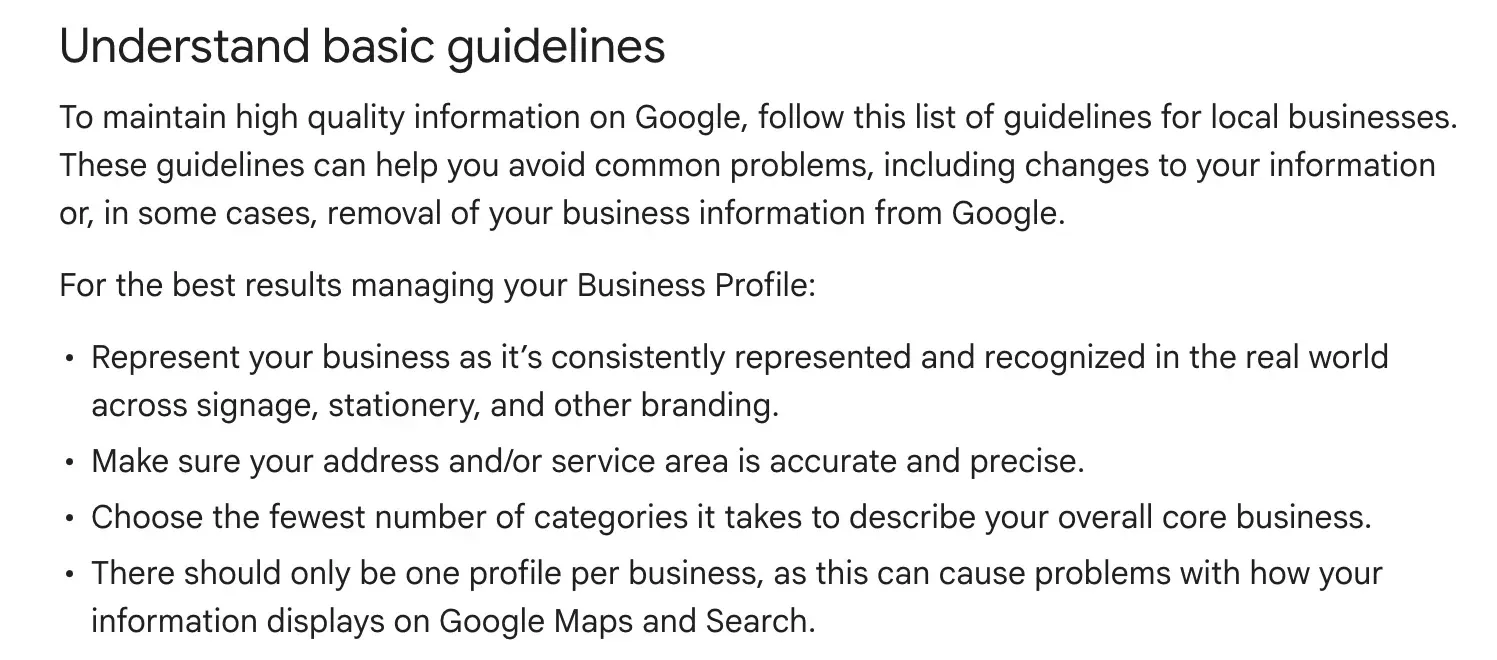
2. Use the exact legal and signboard name
The name on the profile should be the name on your signboard and your SSM registration. Adding keywords (“Zahid Aramai Best Web Designer KL”) violates the guidelines and gets the listing suspended once a competitor reports it. The same name must appear on the website and in directories; Google reads the consistency as a trust signal.
A few examples of what passes and what gets reported:
| Name on the profile | Verdict |
|---|---|
| Kedai Bunga Melati | Fine: matches the signboard and SSM |
| Kedai Bunga Melati Best Florist PJ | Reported: keywords and an area added |
| Zahid Aramai Best Web Designer KL | Reported: a sales line, not a name |
| A name used only on Facebook | Wrong: differs from the signboard |
3. Pick the most specific primary category
The primary category decides which searches you can appear for. “Website designer” beats “Marketing agency” for a web design business; “Dental clinic” beats “Medical clinic” for a dentist. Add up to nine secondary categories that genuinely apply. Check what the three businesses currently in the pack for your main search use as their primary category; it is visible on their listing.
Do not add categories just to cover more searches. A web designer who also lists “Printing service” and “Advertising agency” dilutes the profile and invites a wrong-fit enquiry. If you offer a service you really sell, add it as a service inside the profile instead.

Some starting points by trade; confirm the exact wording in the category picker, since the list changes:
| Business | Primary category | Secondary, if true |
|---|---|---|
| Web designer | Website designer | Graphic designer |
| Dentist | Dental clinic | Cosmetic dentist |
| Renovator | Contractor | Kitchen remodeler |
| Bakery | Bakery | Cake shop |
| Car repair | Auto repair shop | Tyre shop |
4. Address, service area and hours
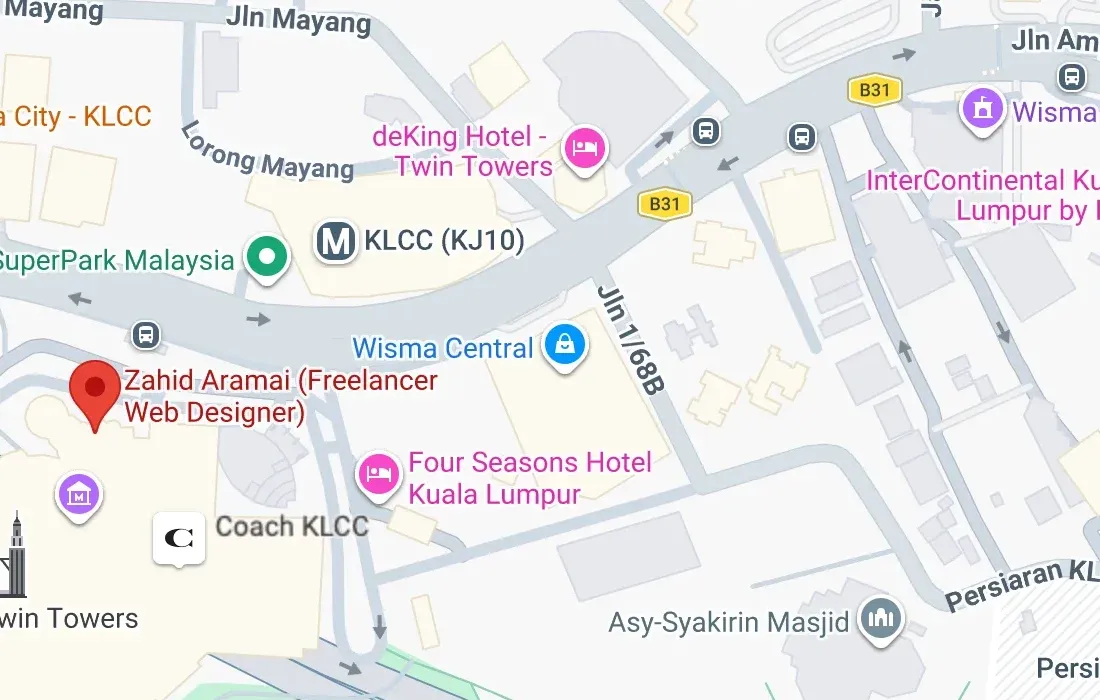
A storefront shows its address and a pin placed on the correct building. A business that visits customers hides the address and declares the service areas: the districts or states you actually cover, not the whole country. Set accurate opening hours, including public holidays, and keep them updated; a profile that says open when you are closed collects one-star reviews.
If you serve customers at their location and also have a shop, choose carefully. A visible storefront address suits walk-in customers. If people never come to you, hide the address and list the areas you cover. List the areas where you will actually go, such as Kuala Lumpur, Petaling Jaya and Shah Alam, not every state. Google can suspend a profile whose public address is a home or a virtual office that customers cannot visit.
5. Phone number and website link
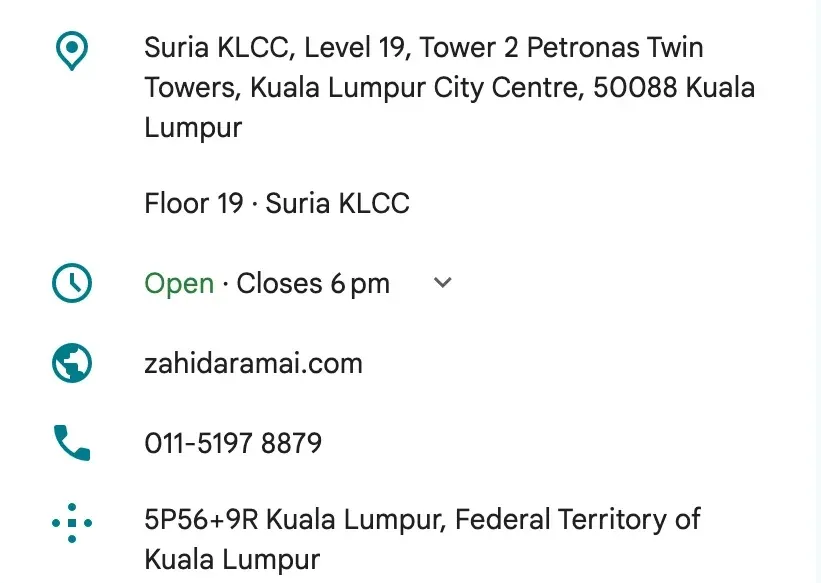
Use the business number and point the website link at your home page, or at a location page if you have several branches. The website should show the same name, address and phone number on the contact page and in its structured data, which is how Google confirms the two belong together. Websites I build carry LocalBusiness markup that mirrors the profile exactly.
Add tracking tags to the website link on the profile, for example ?utm_source=google&utm_medium=organic&utm_campaign=gbp. Without them, visits from the profile land in your analytics mixed with ordinary organic search, and you cannot tell which one is working.
https://example.com.my/?utm_source=google&utm_medium=organic&utm_campaign=gbp6. Reviews: ask, every time
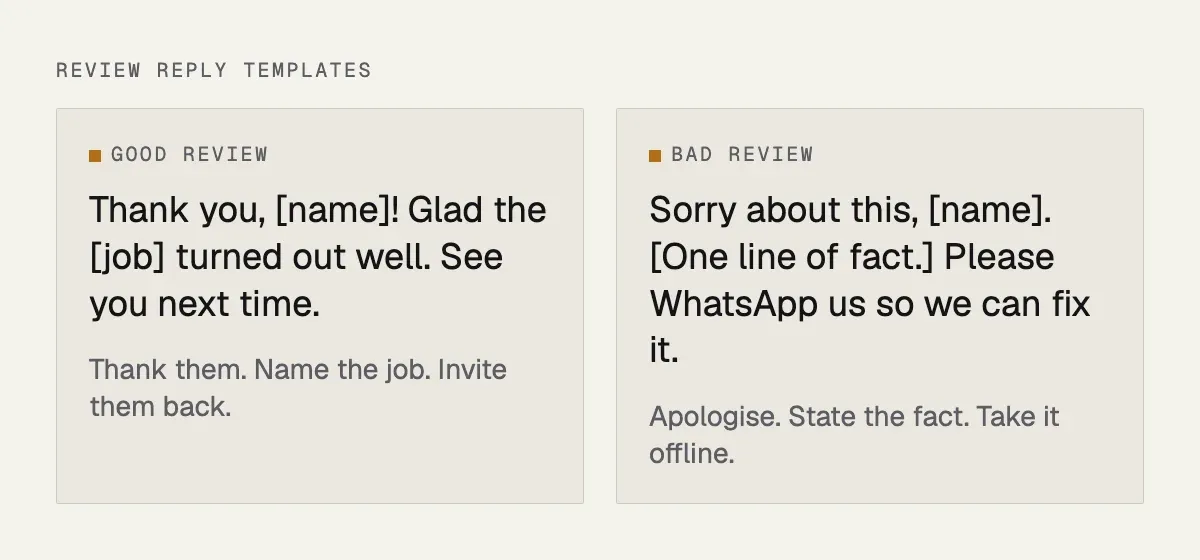
Reviews are the strongest lever you control. Build asking into your process: a WhatsApp message with the short review link the day a job is done, a QR code at the counter, a line in the invoice email. Reply to every review, good and bad, within a day or two, in the language the customer wrote in. Never buy reviews or run a review-for-discount scheme; both get profiles penalised, and the fake ones read as fake anyway.
Some practical rules I give clients. Ask everyone, not only the customers you expect to be happy, because selective asking (often called review gating) goes against Google’s guidelines. Do not ask staff, family or friends to review. Never offer a discount or gift in return for a review. Send the link while the job is fresh, and keep the message short and personal.
For bad reviews, reply calmly and once. Say sorry, state the facts briefly without arguing, and offer a way to sort it out offline. The reply is written for the next customer reading it, not for the angry one. If a review is fake, abusive or about a different business, flag it for removal through the profile, and still reply if it stays up. Do not threaten the reviewer.

Where the asking fits in a normal week:
| When | What to do |
|---|---|
| The day the job is done | WhatsApp the short review link |
| At the counter | A printed QR code to the same link |
| With the invoice | One line in the email with the link |
| Within a day or two of a review | Reply on the profile, in the customer’s language |
| Once a month | WhatsApp the link to the last five customers |
7. Photos and video from the real place
Upload your own photos: the shopfront, the team, the work, the interior, taken on a decent phone in good light. Add a few every month. Listings with regular new photos get more taps and more direction requests than those with a logo and nothing else. Geotagged photos are not a ranking factor; real, recent photos are an engagement factor, which is what matters.
| Photo | What to show, and how often |
|---|---|
| Shopfront and signboard | As a customer sees it; once, and when it changes |
| Finished work | Jobs, products, before and after; every month |
| The team at work | Real people, not stock; a few times a year |
| Interior and counter | Waiting area, workspace; after a refit |
| Short video | A walk-through or a job in progress; every few months |
8. Services, products and the description
Fill in the services list with your real services and short descriptions. Retailers and restaurants should add products or a menu. Write the business description in plain language about what you do and where, without keyword stuffing. These fields help Google match you to specific searches and help the customer decide before calling.
For a web designer, the services list reads something like: business website, website maintenance, SEO services.
| Field | What to write |
|---|---|
| Services list | Each real service in one line |
| Products or menu | What you sell, with photos (shops, restaurants) |
| Business description | What you do and where, in plain words |
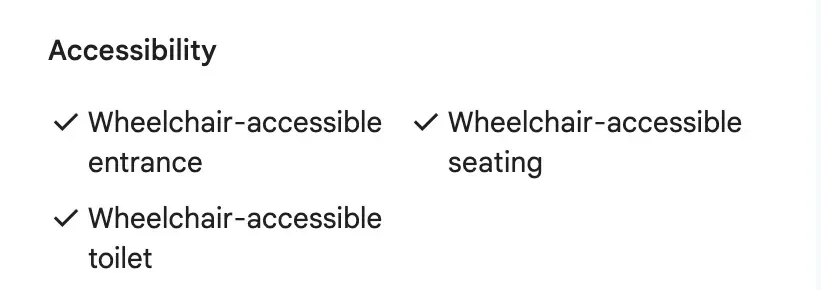
| Attributes | Facts the profile offers, like wheelchair access |
9. Posts and updates
A post every one or two weeks, an offer, a completed project, a new product, a holiday notice, keeps the profile active. Posts expire from the main view after a while, so consistency matters more than length. Reuse what you already publish on the website and social media.
| Post type | Example, and when |
|---|---|
| An offer | A festive promotion with an end date, before the season |
| A finished project | Photos of the job, after each one |
| A new service | What it is and who it is for, when it launches |
| A holiday update | Public holiday hours, a week before |
10. Questions and answers, messaging and booking
Seed the Q&A section with the five questions customers always ask and answer them yourself. Turn on messaging only if someone will answer within a few hours, because slow replies get the feature switched off. If you take appointments, connect a booking link.
The five questions I seed most often, and what a good answer contains:
| Question customers ask | Answer it with |
|---|---|
| How much does it cost? | A starting price or a link to your price page |
| Do you open on Sunday? | Your real hours, including public holidays |
| Where do I park? | The nearest parking and which entrance to use |
| How long does it take? | A typical timeline for the usual job |
| Do you cover my area? | The areas you actually serve |
11. Consistency across the web
Your name, address and phone number should be identical on the website, Facebook, Instagram, Waze, Foursquare, Yellow Pages Malaysia and any industry directories. Mismatched old addresses from a move three years ago confuse Google and customers alike. Fix the ones you can; a dozen correct citations beats a hundred messy ones.
| Where, in the order I fix them | What to check |
|---|---|
| Your website | Contact page, footer and LocalBusiness markup |
| Facebook and Instagram | The About section and the bio |
| Waze | Place name and pin |
| Foursquare and Yellow Pages Malaysia | The listing details |
| Industry directories | Old addresses from a past move |
12. The website behind the profile
Google ranks the profile partly on the strength of the website it links to. A fast site with a page for each service, the area names in the text, LocalBusiness markup, and reviews shown on it lifts the Maps listing as well as the organic result. This is why the profile and the website are set up together on every project I do; the details are on the Google Business Profile service page.
If the profile is suspended
Suspensions usually come from a keyword-stuffed name, an address customers cannot visit, a category change, or a report from a competitor. Do not create a new profile for the same business; that makes it worse.
Read the reason shown on the profile, fix what it names, and then submit the reinstatement request through the profile’s help flow. Have proof ready: SSM registration, a utility bill or tenancy agreement showing the address, and photos of the signboard and the premises. Reply to any request for a video or document promptly, and keep a note of dates. Reinstatement can take days to a few weeks, so start the same day you notice.
What to measure
The profile’s Performance tab shows how people found you (search versus Maps), which searches, and how many called, messaged, requested directions or visited the website. Note the numbers monthly, in a simple sheet: calls, direction requests, website clicks, messages and the number of new reviews. Compare the same month a year later, because many Malaysian businesses are seasonal around festive periods. Your phone’s call log and WhatsApp enquiries help you check that the profile numbers are roughly right, and asking each new customer “how did you find us?” costs nothing. If the pack position for your main search does not move after three months of the above, the problem is usually competition density or the primary category, and that is worth a closer look.
Mistakes that keep profiles out of the pack
Keyword-stuffed business names. A virtual office address presented as a shop. Dozens of unrelated secondary categories. Ignoring reviews for months. Buying reviews. Opening hours that are wrong on public holidays. A different phone number on the website than on the profile. A website that is slow on mobile and has no page for the service being searched. Each one is fixable, and most take less than an hour.
The same list as a worksheet, with my rough time for each fix:
| Mistake | Fix, and my rough time for it |
|---|---|
| Keyword-stuffed name | Use the signboard name; minutes |
| Virtual office shown as a shop | Hide the address, set service areas; minutes |
| Dozens of unrelated categories | Keep the few that fit; minutes |
| Reviews ignored for months | Reply to each, then ask every week; an hour |
| Bought reviews | Stop, and remove what you can; ongoing |
| Wrong public holiday hours | Add special hours; minutes |
| Different phone on the website | Make the two match; minutes |
| Slow site, no service page | Speed fixes and a page per service; a website job |
A short monthly routine
- Reply to every new review.
- Send the review link to the last five customers.
- Upload three to five real photos.
- Publish one or two posts.
- Check hours, services and any customer questions.
- Read the Performance numbers and note them.
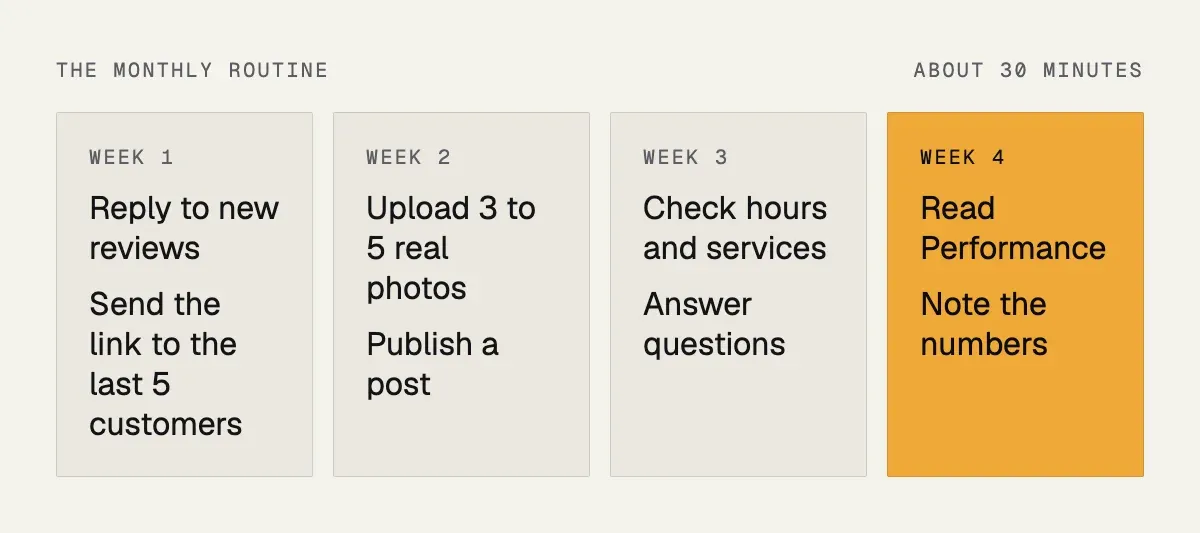
Thirty minutes a month is enough once the profile is set up properly. If you also want the website tuned for the same searches, see my SEO services, or my web design in Kuala Lumpur page if you are in the Klang Valley.
Next step
If your profile is not appearing, or you have one but it has never been looked after, send the business name on WhatsApp and I will tell you what I see from the outside and what I would fix first. Set-up and clean-up is part of the Business Website package and a standalone job otherwise; prices are on the pricing page.
| Step | What happens |
|---|---|
| 1. You send the business name | On WhatsApp, nothing else needed |
| 2. I look from the outside | Name, category, address, reviews, photos and the website link |
| 3. You get a short list | What I see and what I would fix first |
| 4. If you want it done | Set-up and clean-up, in a package or as a standalone job |