Web Design
Website Redesign Without Losing Google Rankings
The checklist I use to redesign a website without losing Google rankings: URL inventory, redirects, title parity, speed, and what to watch after launch.
 By Zahid Aramai

A redesign is the most dangerous thing most businesses ever do to their Google traffic, and almost nobody treats it that way. The new site looks better, the agency is proud, and six weeks later the enquiries have halved because forty pages quietly disappeared and the ones that remained lost the headings Google was ranking.
I am writing this while rebuilding my own fourteen-year-old website, which brings me most of my clients, so the stakes are personal. This is the checklist. It applies whether you are moving from WordPress to WordPress, from Wix to WordPress, or from WordPress to anything else.
Why redesigns lose rankings
Google ranks URLs, not designs. It has a record of each address on your site, what it says, what links to it and how people respond to it. A redesign puts all of that at risk at once. Rankings fall when an address stops answering, when it answers with different content, or when Google needs weeks to learn a new set of addresses.
So the aim is simple: make the new site look and work differently for people while looking identical to Google on day one. Everything below serves that aim. The order matters, because the expensive mistakes are made before anyone opens a design tool.
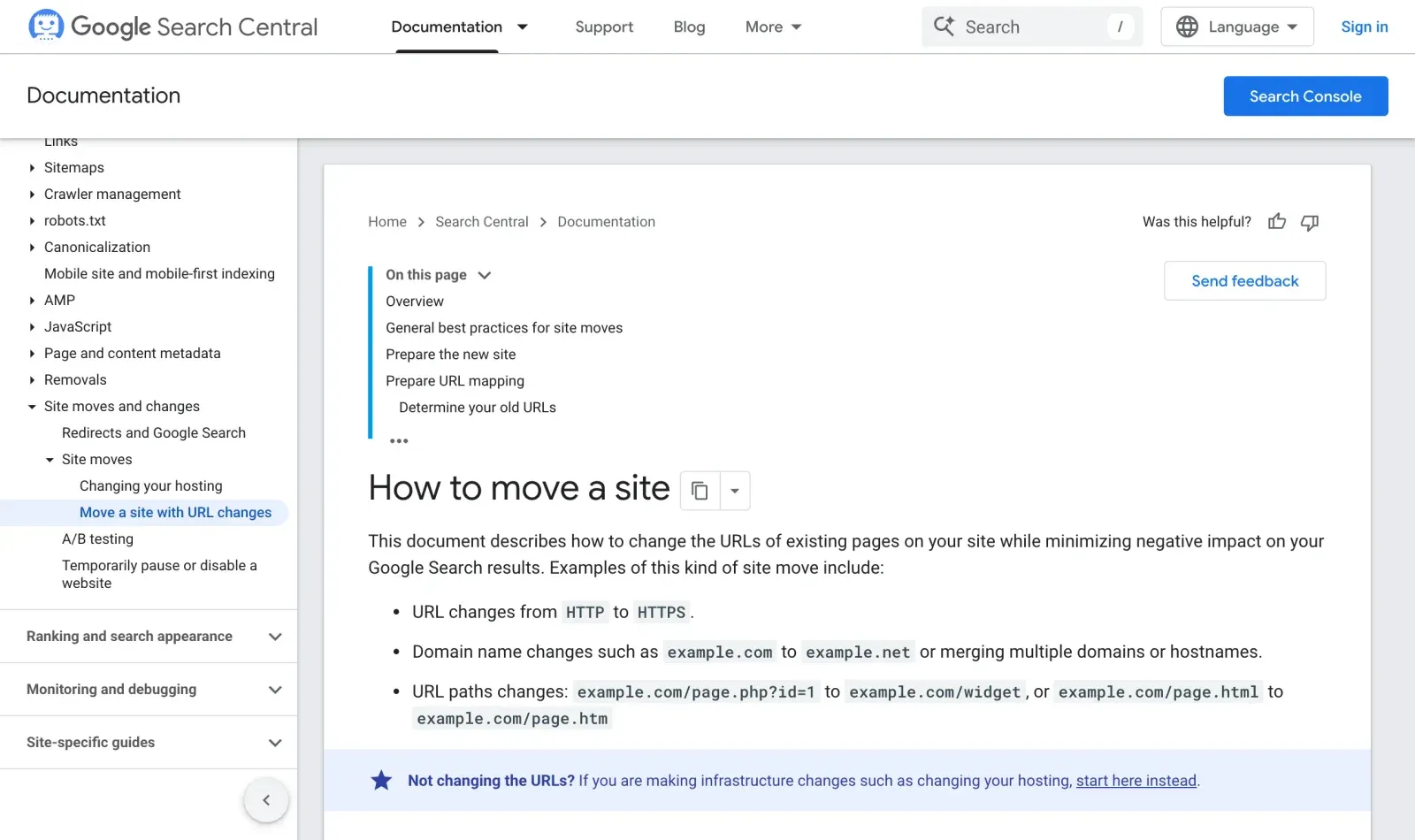
Google’s own guide to moving a site with URL changes says the same thing in more words: map every old URL, redirect it, and keep the new site consistent.
Before you touch the design
1. Crawl the current site and keep the crawl
Run a crawler over the live site and export every URL with its status code, title, meta description, H1, canonical and robots directive. This file is the contract the new site must honour. Without it you are redesigning from memory, and memory forgets the 2019 blog post that ranks for your most valuable query.
Do not trust one source for the list of URLs. The sitemap shows what the site says it has. Search Console shows what Google is showing to searchers. A crawler shows what a visitor can reach by clicking. Merge all three and remove duplicates; the pages that appear in one list but not the others are often the ones people forget, such as old landing pages, PDF files and tag pages. Save the merged list as a spreadsheet with a column for the decision on each URL.
| Source | What it shows | What it often misses |
|---|---|---|
| XML sitemap | What the site says it has | Old landing pages and PDFs |
| Search Console | What searchers see | Pages with no clicks yet |
| Crawler | What a visitor can reach | Orphan pages |
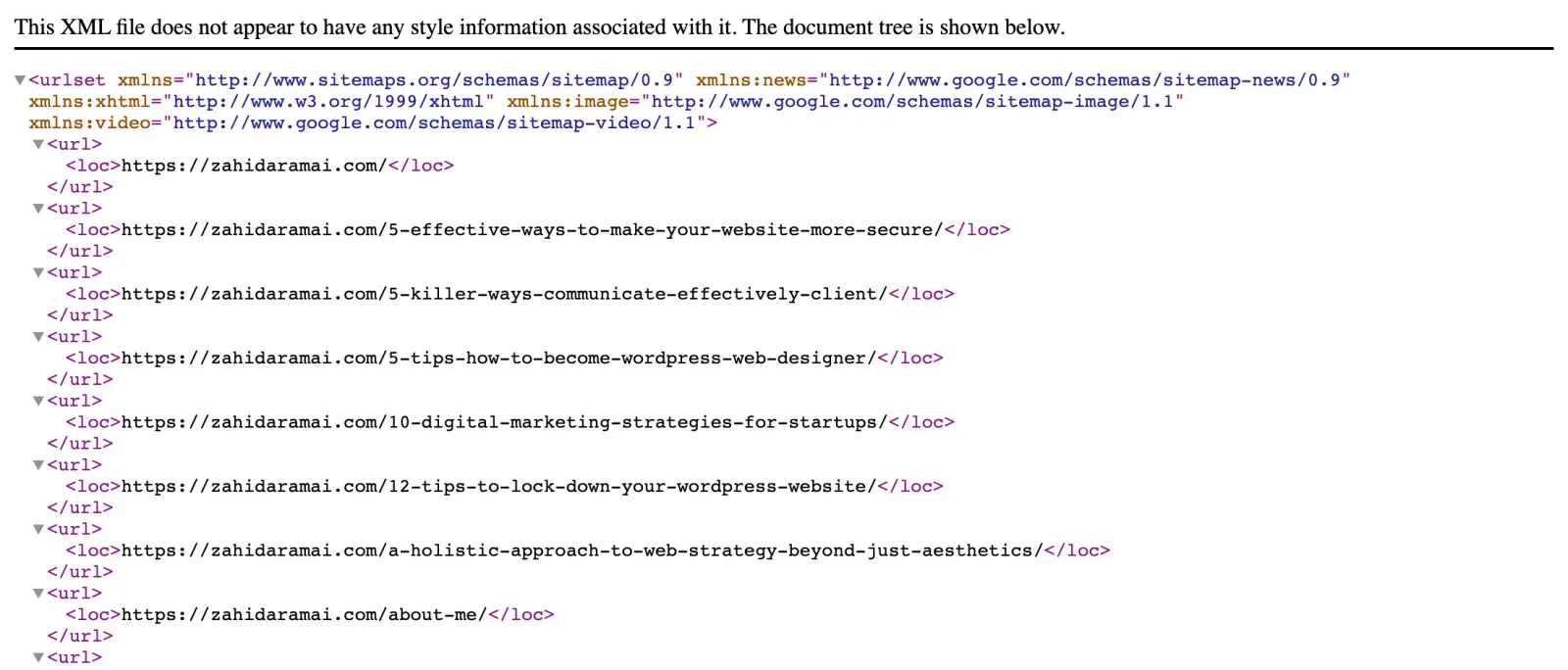
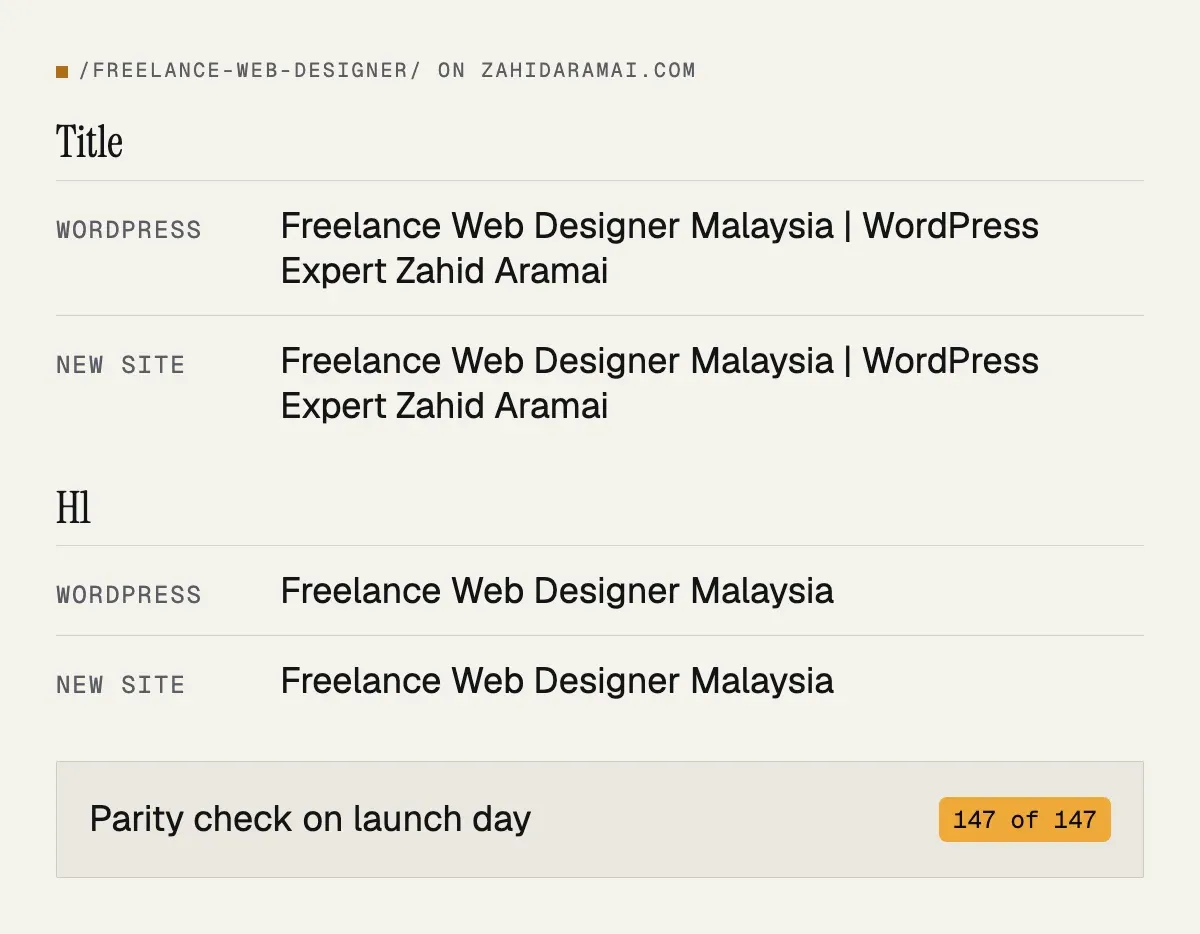
On my own migration the sitemap was the starting list: every one of the 147 URLs in the live WordPress sitemap had to exist on the new site.
2. Pull the pages that actually earn
In Google Search Console, export clicks and impressions by page for the last twelve months, and the same by query. Sort by clicks. The top twenty pages are the ones that must come through untouched. Any plan that removes one of them needs a very good reason.
| Export | Range | What it tells you |
|---|---|---|
| Pages, sorted by clicks | Last 12 months | The pages that must come through untouched |
| Queries, sorted by clicks | Last 12 months | The words each page is ranking for |
| Links report, top linked pages | Current | Which URLs other sites point at |
3. List every inbound link you know of
Directories, partner sites, your Google Business Profile, social profiles, email signatures, printed material. Each points at a specific URL. Those URLs either stay or get a redirect; there is no third option.
| Where the link lives | Who can change it | If its URL changes |
|---|---|---|
| Google Business Profile | You | Update it and add a 301 |
| Directories and partner sites | Someone else | 301 is the only fix |
| Social profiles, email signatures | You | Update them and add a 301 |
| Printed material, QR codes | Nobody, once printed | 301 kept for years |
For WordPress sites, also note any URLs created by plugins, such as shop categories, event pages or custom post types, because these are easy to lose when the theme changes.
4. Decide what stays, what merges and what goes
For each URL: keep as is, merge into another page, or remove. Merging means a redirect to the page that absorbs the content. Removing means a redirect to the closest relevant page, never to the home page in bulk. Write the redirect map now, before the new site exists.
A good redirect map is one-to-one: each old URL points to the single new page that answers the same question. Use permanent 301 redirects. Avoid chains, where A goes to B and B goes to C, because each hop adds delay and risk. Check the map for loops. A short example of how it looks in an Apache .htaccess file:
Redirect 301 /old-services/ /services/
Redirect 301 /blog/2019/old-post/ /blog/new-post/
Whatever the host uses (Apache, Nginx or a Cloudflare redirects file), the logic is the same. Keep the map in a spreadsheet as well, so you can test it line by line after launch.
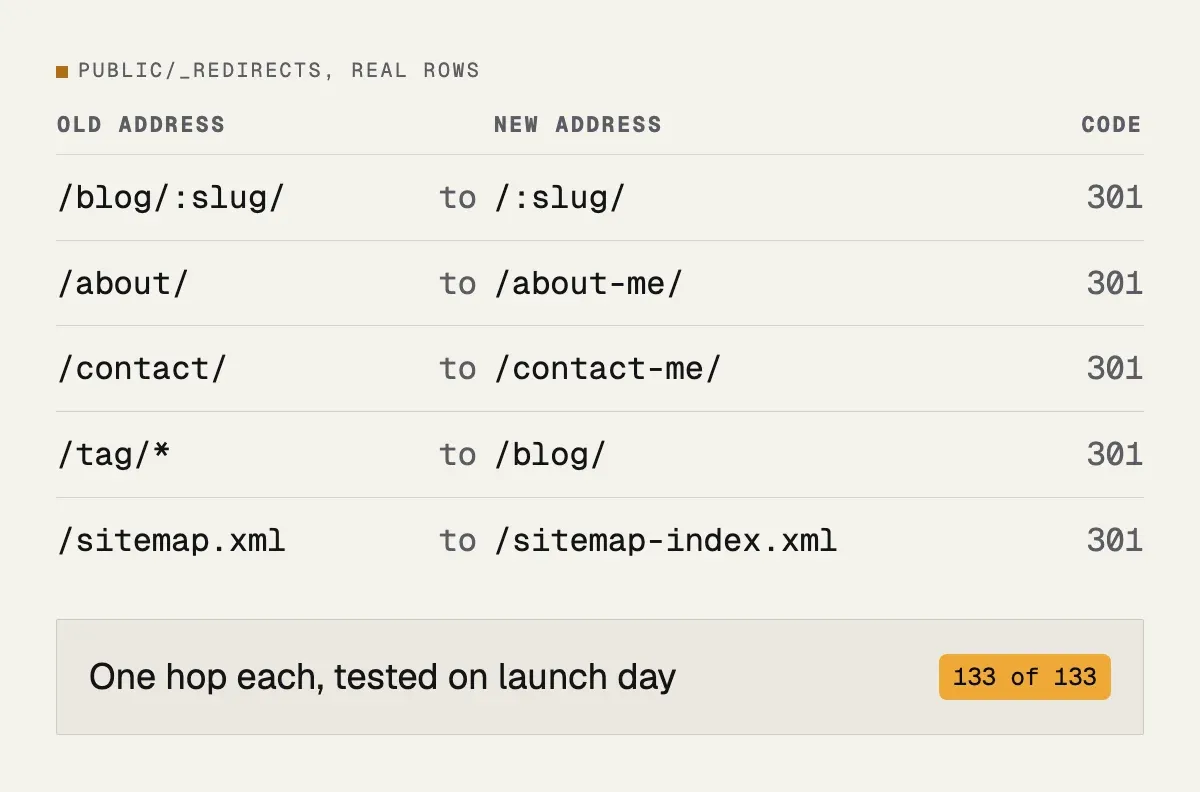
This is what part of my own map looks like. The old WordPress blog lived under /blog/, the new site serves posts at the root, so one rule covers every post in one hop.
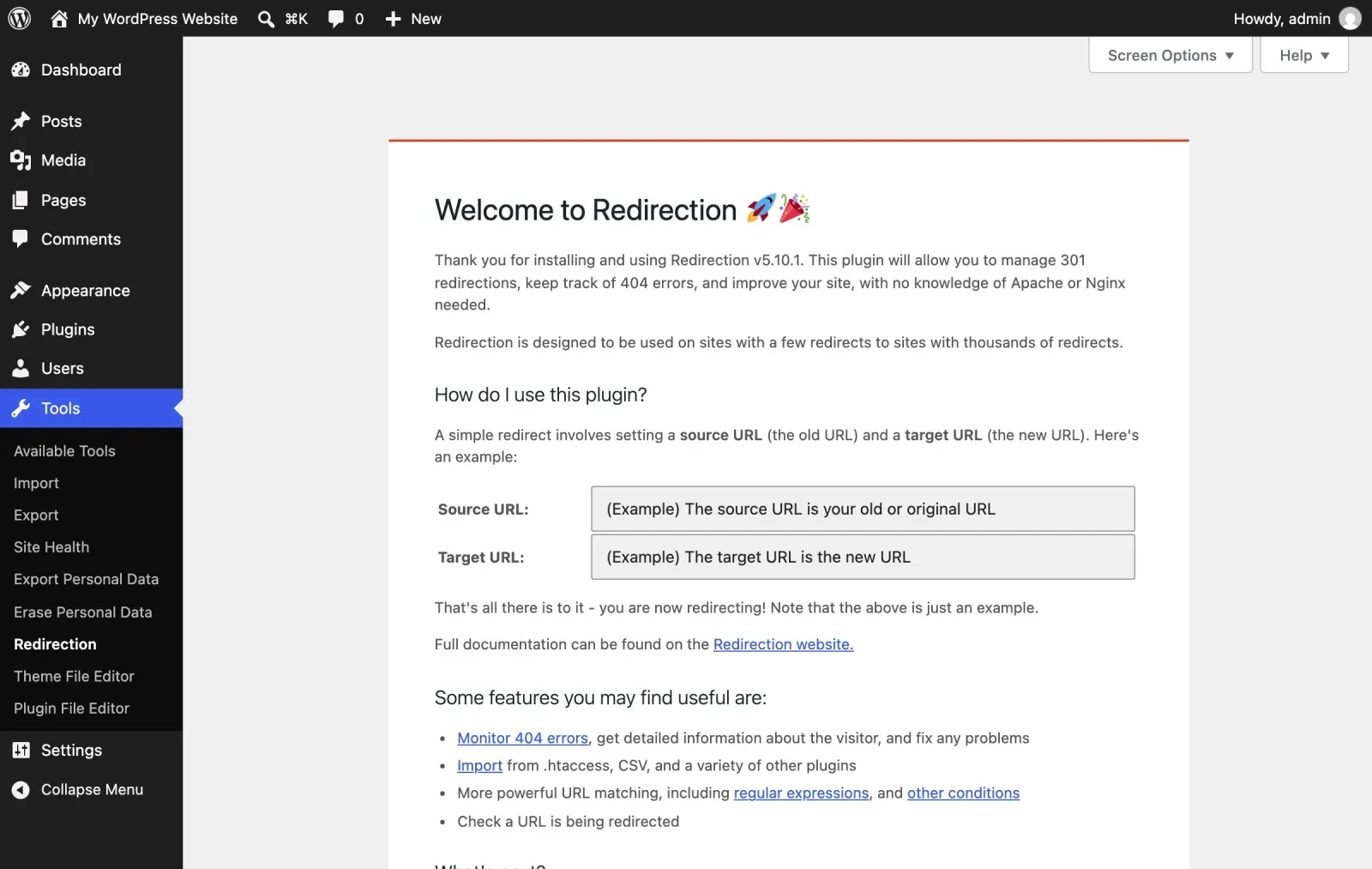
On WordPress you do not need to touch server files. A plugin such as Redirection keeps the map inside the dashboard and logs 404s, which is useful after launch too.
While building the new site
5. Keep the URLs
Same paths, same trailing slashes, same case. If the platform forces a change, map every old URL to its new one in the redirect file and test each one.
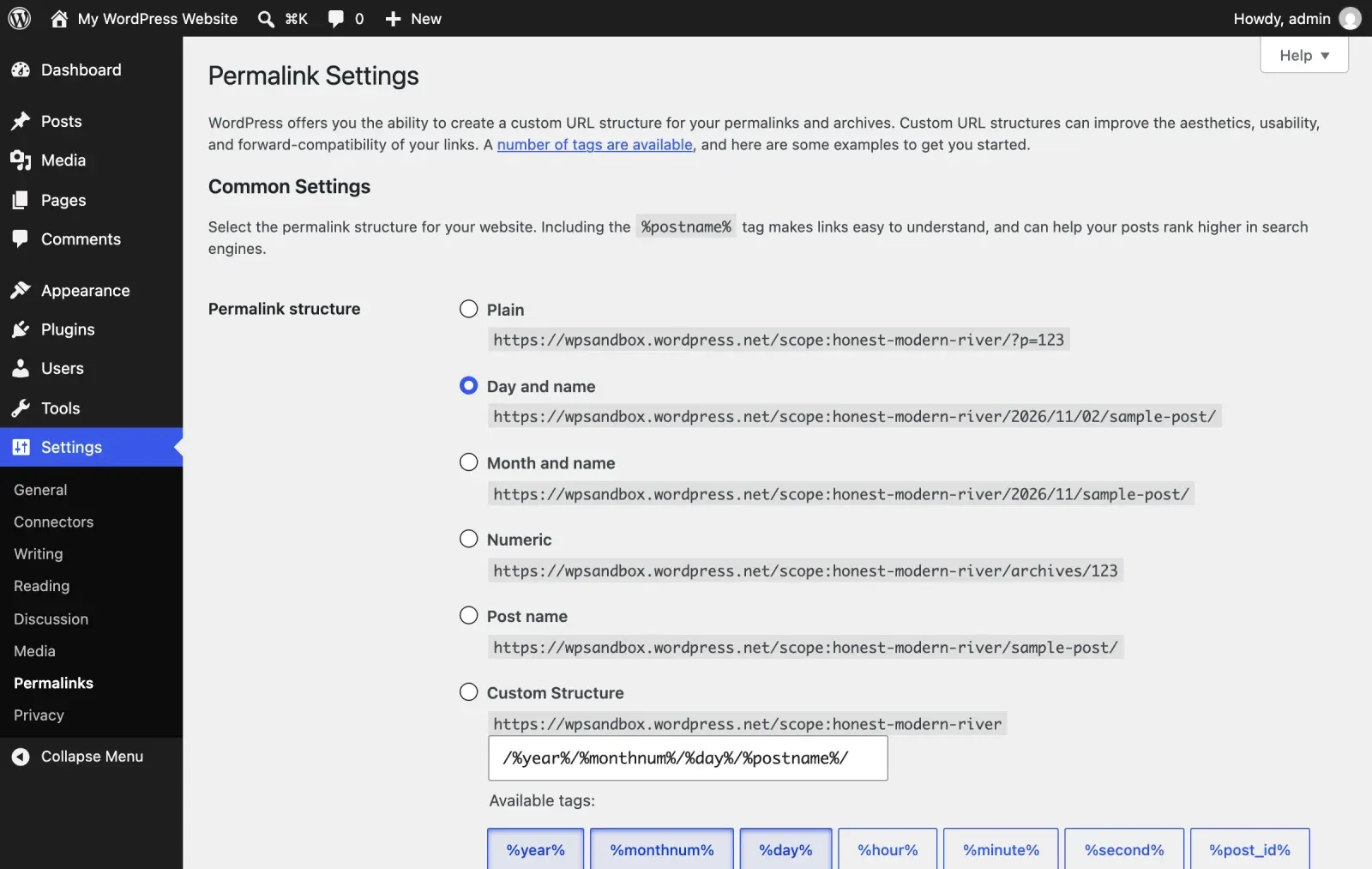
On WordPress the URL pattern comes from one setting. If the old site used “Post name”, the new one must too, or every post address changes at once.
6. Keep titles, meta descriptions and H1s identical on launch day
Improving them is tempting. Do it later, one page at a time, when you can measure the effect. The same goes for canonical tags: each page should point at itself, with the same address form (with or without www, with the trailing slash) as before, or Google may treat the new pages as duplicates of the old. On launch day the head of every page should match the crawl from step one character for character. Build this as an automated check if you can; I generate the new site’s head values straight from the crawl file so they cannot drift.
7. Keep the indexed text
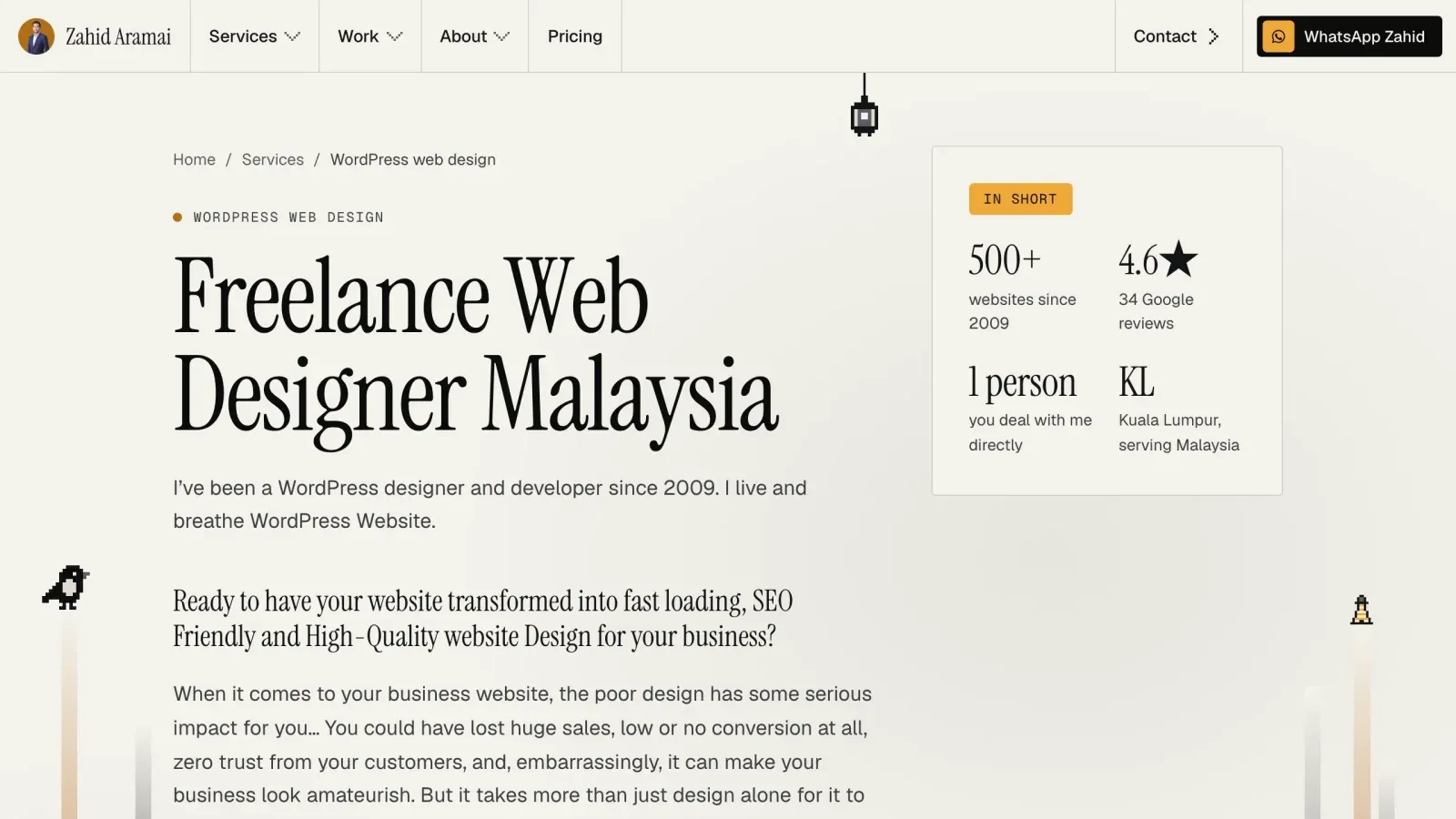
The paragraph your service page ranks for is probably halfway down, in a section the designer wants to cut because it is “too wordy”. Keep the content and restyle it. Shorten later, with data.
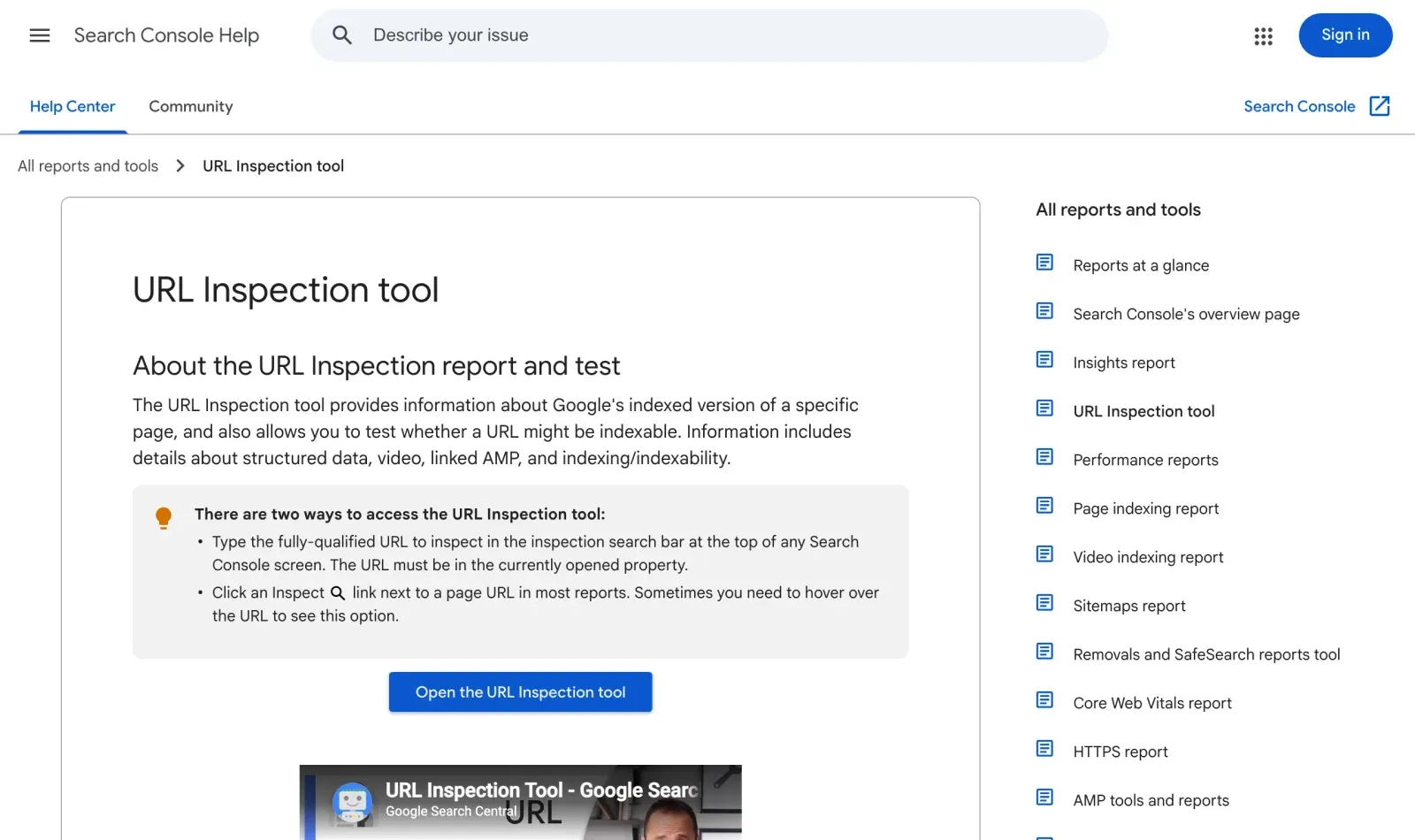
Check that the text is in the page’s HTML, not drawn by a script after the page loads or locked inside an image. View the page source or use the “inspect URL” tool in Search Console to see what Google receives.
8. Rebuild the structured data
If the old site emitted Organization, LocalBusiness, Article or FAQ markup, the new one must emit the same types on the same pages, validated. Losing rich results is a traffic drop that never shows up as a ranking change.
| Page type on my site | Structured data types carried over |
|---|---|
| Home page | LocalBusiness, FAQPage, Person, WebSite |
| Service pages | ProfessionalService, Service |
| Blog posts and portfolio pages | Article, ImageObject, Organization, Person, WebPage |
| About page | Person, ProfilePage |
9. Preserve images and their URLs where you can
Old image URLs rank in image search and are embedded elsewhere. Keeping the upload folder path alive, or redirecting it, costs little and avoids a thousand broken links.
| Old image address | What I did | Answer after launch |
|---|---|---|
| Uploads folder on the main domain | Copied every upload the crawl found to the same path | 200, same file |
| The old image CDN subdomain | Keeps serving for the 30-day rollback window | Then one 301 to the main-domain copy |
| Rebuilt images under new names | Used only by new pages | No old URL to protect |
10. Make it faster, not just prettier
Measure Core Web Vitals on the old site, then target better numbers on the new one on real mobile connections. A redesign that is slower than the site it replaced will lose ground regardless of how careful the rest was.
| Measure | Google’s “good” | My site on launch day |
|---|---|---|
| LCP (loading) | 2.5 s or less | 1.9 s home, 1.7 s pricing |
| CLS (layout shift) | 0.1 or less | 0 on the home page |
| INP (response) | 200 ms or less | Field data, read after launch |
| Lighthouse score | None official | 93 home, 97 pricing |
11. Keep the staging site out of Google
Password-protect it or send a noindex header for the staging host. A staging copy that gets indexed creates duplicates of every page and confuses the launch.
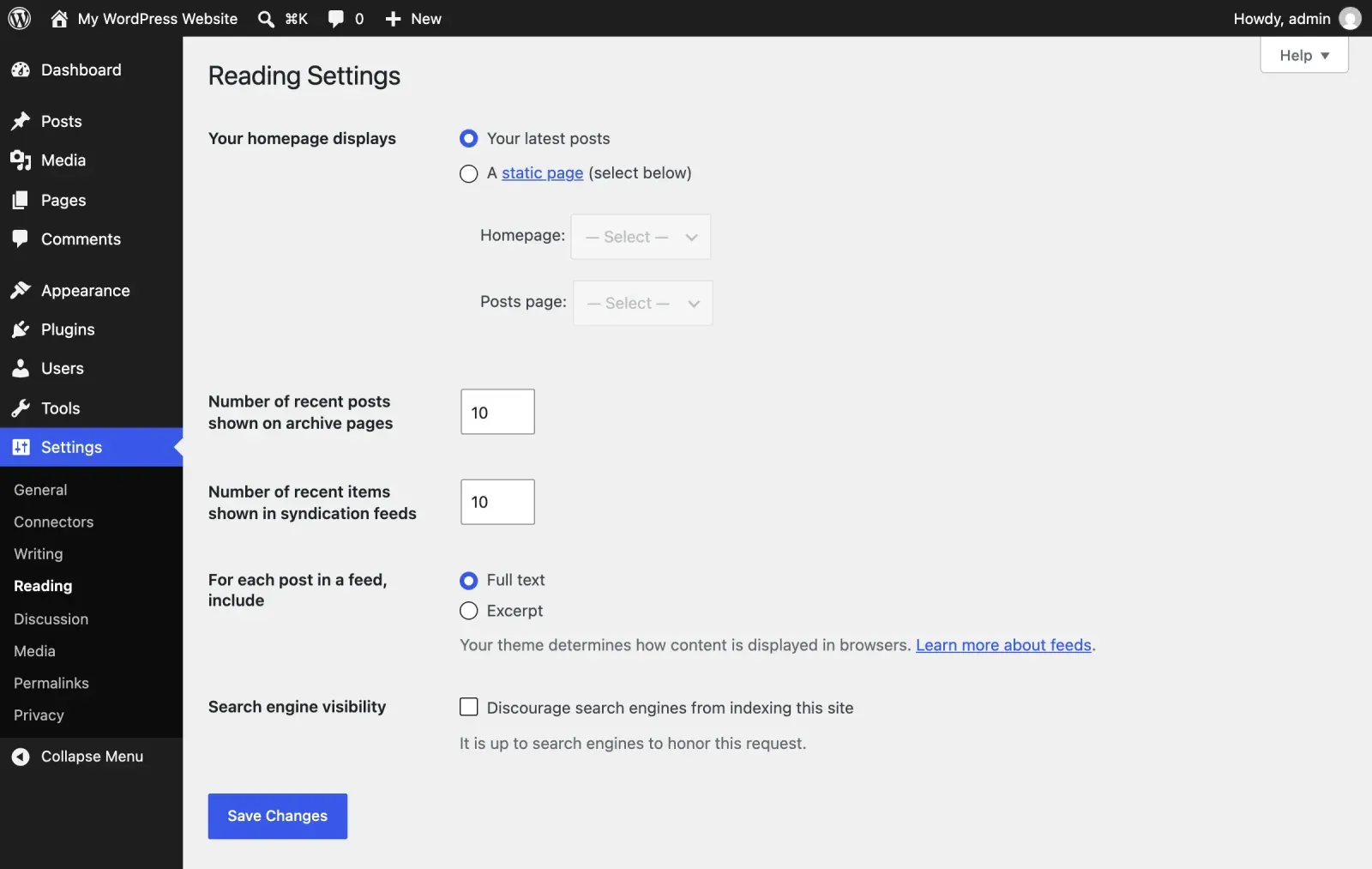
The opposite mistake is as common: the noindex tag or the password stays on after launch, and the real site slowly drops out of Google. Add “remove staging noindex” to the launch-day list as its own line, and check the live pages’ source and response headers for it. A robots.txt that blocks everything is the same problem in a different file.
In WordPress, the switch that does the damage sits in Settings, Reading. It must be unticked on the live site.
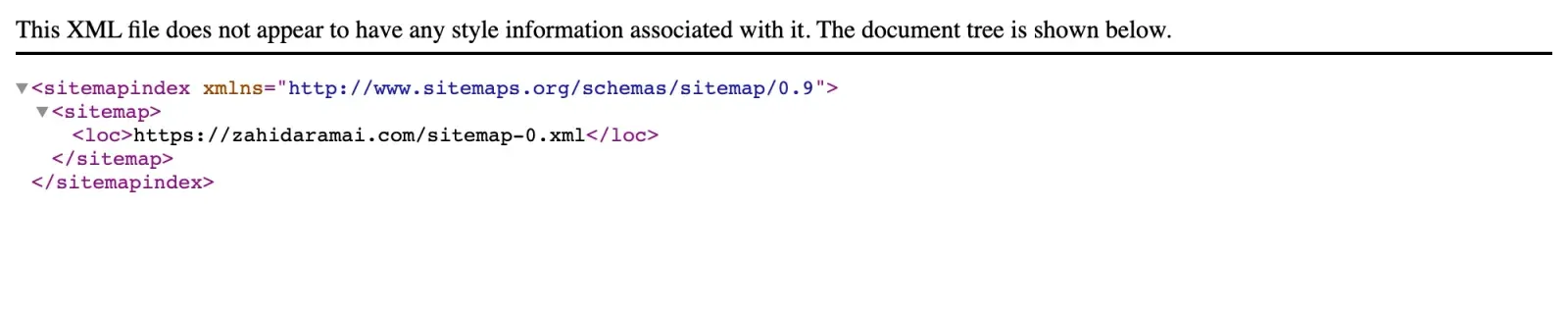
Then check the live robots.txt. Mine allows everything except the short-link folder and points at the sitemap.

Launch day
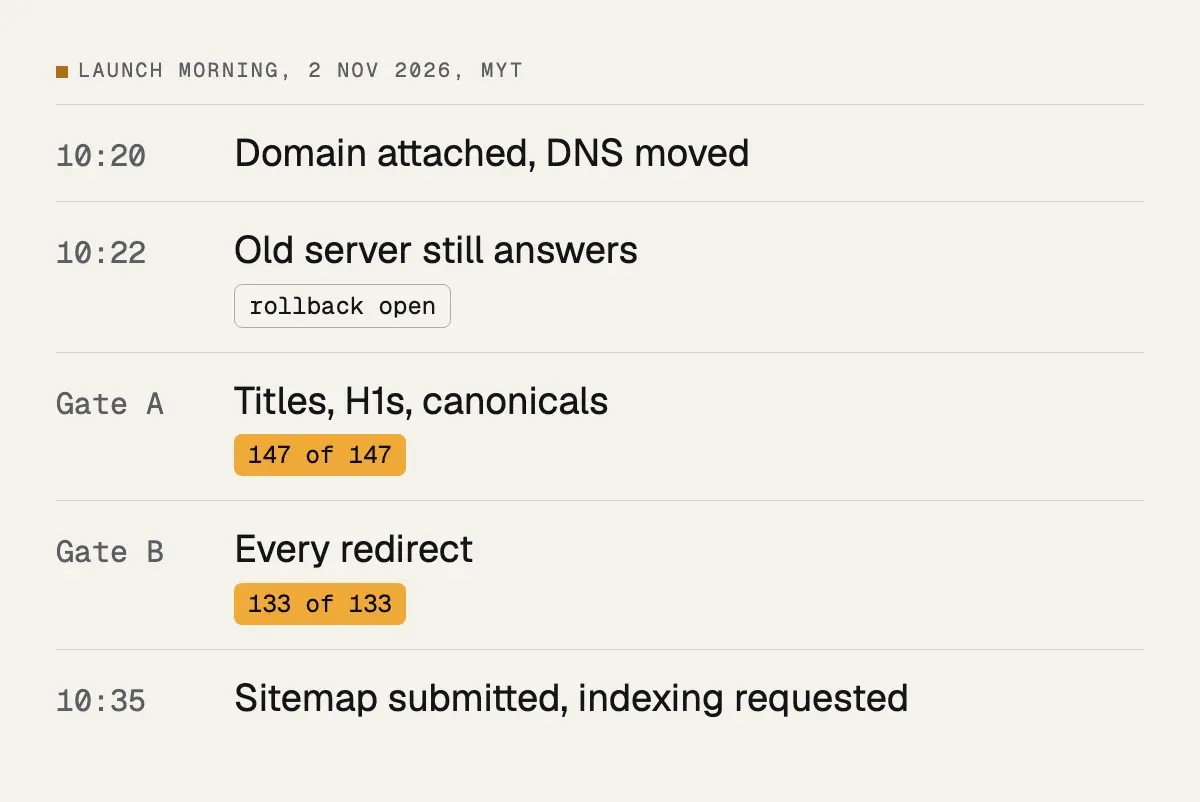
This is how my own launch morning went, in order. Every step below had a pass rule written down the week before.
12. Test every redirect before DNS changes
Point your computer at the new server and run the redirect map: every old URL should answer with a single 301 to the right destination, not a chain and not a 404. Then test the twenty highest-earning pages by hand, on a phone.
A single check from the command line shows the answer you want: one 301, then a 200. This is a real old blog address on my site after launch.
$ curl -sI https://zahidaramai.com/blog/5-effective-ways-to-make-your-website-more-secure/
HTTP/2 301
location: /5-effective-ways-to-make-your-website-more-secure/

$ curl -sI https://zahidaramai.com/5-effective-ways-to-make-your-website-more-secure/
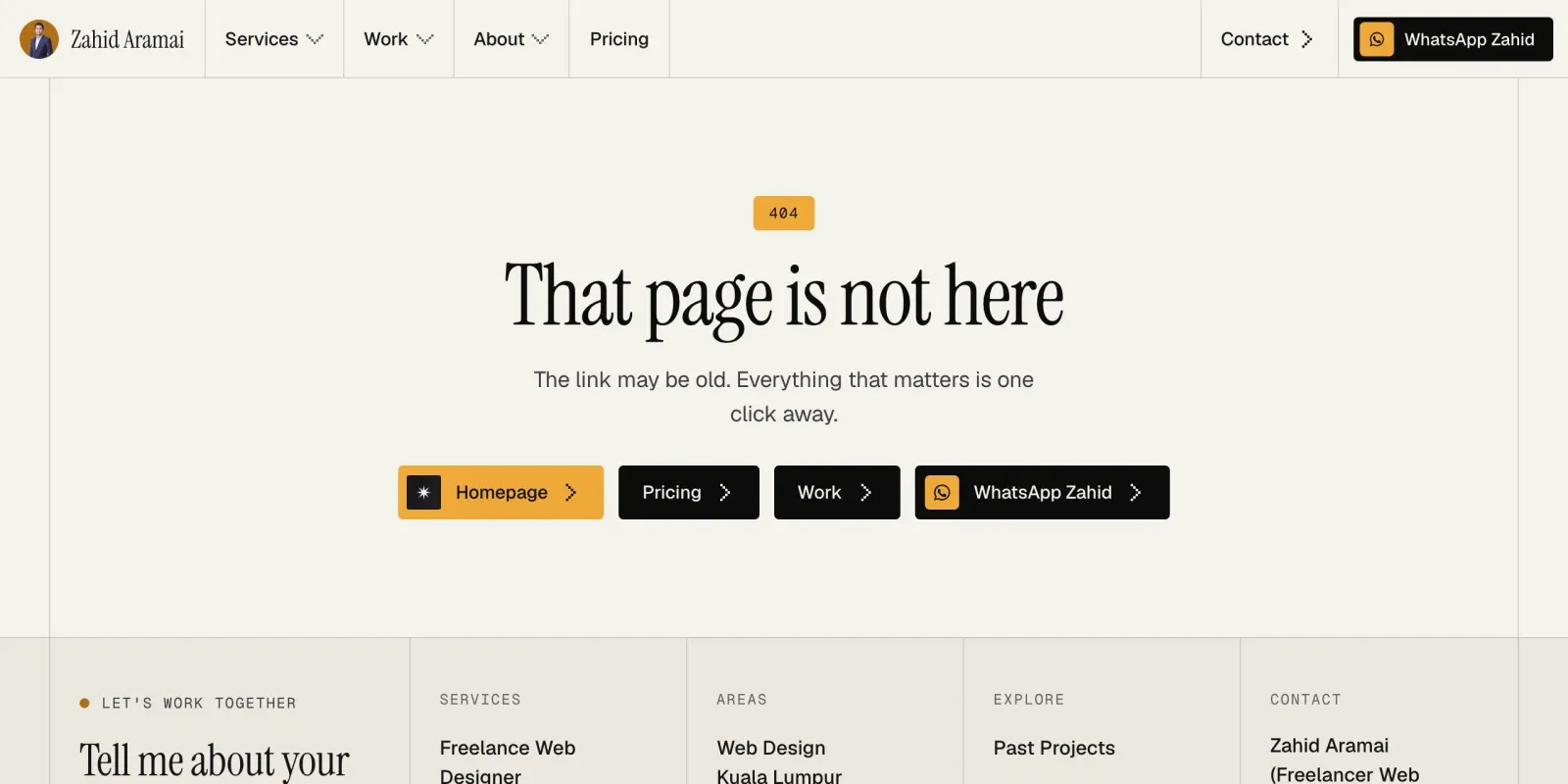
HTTP/2 200Anything that does not redirect lands on the 404 page. Make that page useful anyway, with links to the pages people came for.
13. Run the parity check
Crawl the new site on the new server and compare it against the crawl from step one: same URLs, same titles, same H1s, same canonicals, same indexability. Fix every difference that was not a deliberate, written-down decision.
| Check | Pass rule | My result on 2 Nov 2026 |
|---|---|---|
| Parity: title, description, H1, canonical, robots | Every page matches the old crawl | 147 of 147 |
| Redirects | Every old URL, one 301 hop | 133 of 133 |
| Noindex on the live host | Absent everywhere | Absent on all 14 templates probed |
| Crawl diff by path | No field changes outside logged exceptions | Pass, 0 differences |
14. Switch DNS, then resubmit
Keep the old hosting alive for a month. Submit the sitemap in Search Console, request indexing for the top pages, and watch the Coverage and Core Web Vitals reports daily for the first week.
What to watch in Search Console
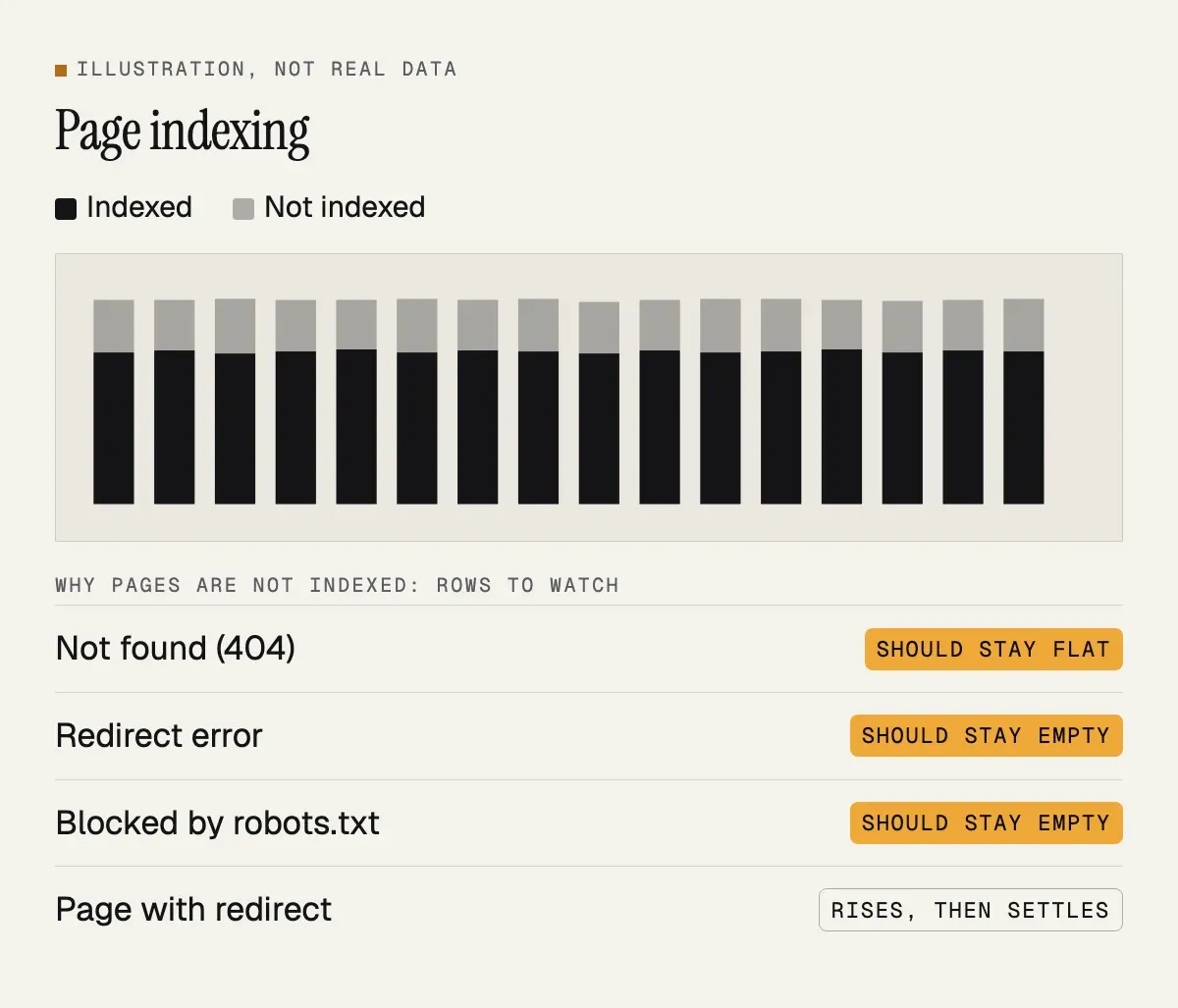
In the first weeks, open the Pages report and look for any rise in “Not found (404)”, “Redirect error” or “Blocked by robots.txt”. Use the URL inspection tool on the home page and a few money pages to confirm Google can fetch them and that the indexed canonical is the one you expect. Check the Sitemaps report for errors. In the Performance report, compare clicks and impressions for your top pages with the same period before launch, remembering that some daily noise is normal and that a short wobble in the first days is common. Do not panic over a single day; look at weeks.
| Report | What to look for | How often |
|---|---|---|
| Page indexing | More 404s, redirect errors or robots.txt blocks | Daily, first week |
| URL Inspection | Money pages fetch; canonical is yours | Day one, then weekly |
| Sitemaps | “Success” and the expected URL count | Daily, first week |
| Performance | Top pages against the weeks before launch | Weekly |
Have a rollback plan
Before launch, write down what you will do if the numbers fall off a cliff or the site breaks. Mine is simple: keep the old hosting running untouched for at least a month, know exactly which DNS record to switch back, and keep the old site’s backup. Decide in advance what counts as a problem, such as key pages returning errors or the site being unreachable, so that you are not making the call in a panic. A rollback is rarely needed, but knowing you can undo the move makes the launch calmer.
| Signal | What I decided to do in advance |
|---|---|
| Parity or redirect check fails on the live site and cannot be fixed within 2 hours | Point the domain back at the old server |
| Growing number of unexpected 404s | Fix the redirect file; roll back if that is impossible |
| Money queries down more than 10 positions for more than 7 days | Re-run the checks; fix any difference found |
| WhatsApp enquiries stop for 3 or more working days | Test every WhatsApp link and the click tracking |
After launch
15. Hold still for two weeks
No title rewrites, no content trims, no new URL schemes. Compare clicks and impressions for the top queries week on week against the same weeks before the switch. Most redesigns that were done this way show no measurable change, which is the goal.
16. Then improve, one change at a time
From week three, make the improvements you were itching to make: better titles, merged thin pages, new sections. One at a time, each dated in a log, so that when a query moves up or down you know which change did it.
The log can be this simple:
| Date | One change | Page | Read again on |
|---|---|---|---|
| 17 Nov or later | A sharper title | One URL | A week later |
| The week after | A merged thin page, with its 301 | Two URLs | A week later |
The mistakes that cause the drops
Deleting old blog posts because they are “outdated”. Changing all URLs to a new structure without redirects. Redirecting everything to the home page. Launching with the staging site’s noindex tag still in place. Dropping the headings into images or into JavaScript that renders after the crawl. Switching to a slower theme. Every one of these is common and every one is avoidable with the list above.
| Mistake | What Google sees | The fix |
|---|---|---|
| Deleting “outdated” posts | 404 where a ranking page was | Keep, update or 301 to the closest page |
| New URL structure, no redirects | Hundreds of new, unknown pages | Keep the URLs, or map every one |
| Everything redirected to the home page | Soft 404s | One-to-one redirects |
| Staging noindex left on | Pages asking to be removed | Launch-day line item and a header check |
| Headings in images or late JavaScript | Missing H1 and text | Real HTML text |
| Slower theme | Worse page experience | Measure before and after |
A short checklist to keep beside you
- Crawl the old site, export Search Console pages and queries, and merge the lists.
- Decide keep, merge or remove for every URL and write the one-to-one 301 map.
- Build with the same URLs, titles, descriptions, H1s, canonicals and structured data.
- Keep staging out of the index, and plan to remove that block on launch day.
- Test every redirect and the top twenty pages before DNS changes.
- Crawl the new site and compare it with the old crawl.
- Switch DNS, submit the sitemap, keep the old hosting for a month.
- Watch Search Console daily for a week, then weekly.
- Hold still for two weeks, then improve one thing at a time and log it.
| When | Checklist items | Done when |
|---|---|---|
| Before design | 1 and 2 | The URL list has a decision on every row |
| While building | 3 and 4 | The head of every page matches the old crawl |
| Launch day | 5, 6 and 7 | Every redirect and parity check passes |
| After launch | 8 and 9 | Two quiet weeks, then a change log |
If the site also needs ongoing care after the move, see website maintenance, and for examples of what I have built, the past projects page shows the range.
Next step
If your website is due a redesign and the rankings matter to your business, send the address on WhatsApp. I will crawl it, tell you how many URLs and redirects are involved, and quote the redesign in writing. The build itself is described on the WordPress website design page and the price bands are on the pricing page.