Web Design
How to Add a WhatsApp Button to Your Website Properly
How to add a WhatsApp button to a business website in Malaysia so it converts and is measured: the wa.me link, pre-filled messages, placement, GA4.
 By Zahid Aramai
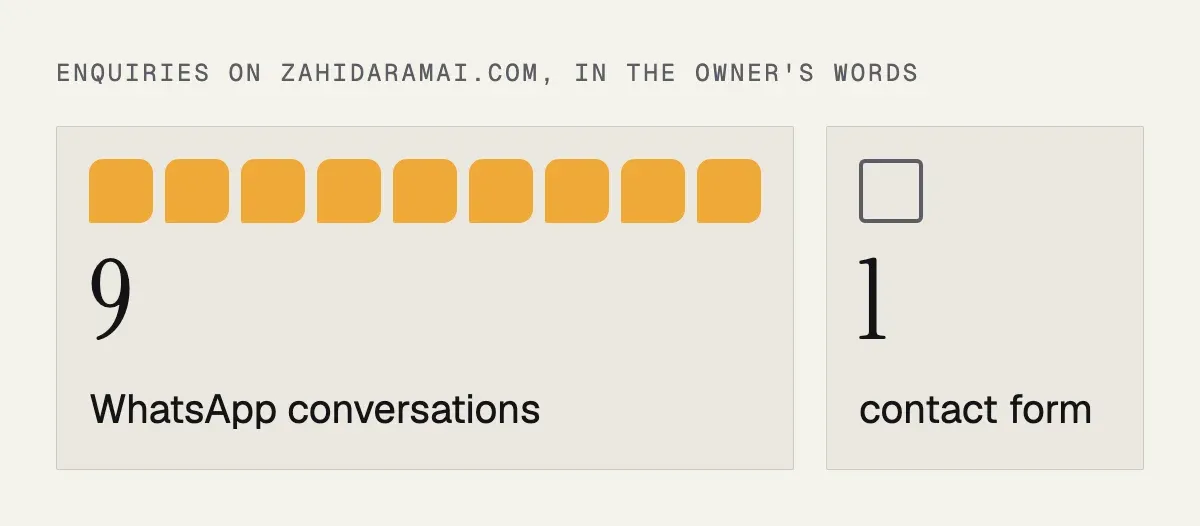
Most of my clients’ customers do not fill in forms. They tap WhatsApp. On my own site the ratio is roughly nine WhatsApp conversations for every contact form, and the sites I build for clinics, contractors and shops in Malaysia show the same pattern. So the WhatsApp button is not a nice extra; it is the main conversion point of the website, and it deserves to be done properly.
Properly means four things: the right link, a message that tells you where the lead came from, placement where people actually tap, and measurement so you know which pages work. Here is how to do each.
1. The link
A WhatsApp button is a link to https://wa.me/ followed by your number in international format with no plus sign, spaces or dashes. For a Malaysian mobile number 011-1234 5678 the link is https://wa.me/601112345678. On a phone it opens WhatsApp; on a desktop it opens WhatsApp Web or the app.
WhatsApp’s own help page describes the same rule: the full number in international format, with no zeros, brackets or dashes in front.
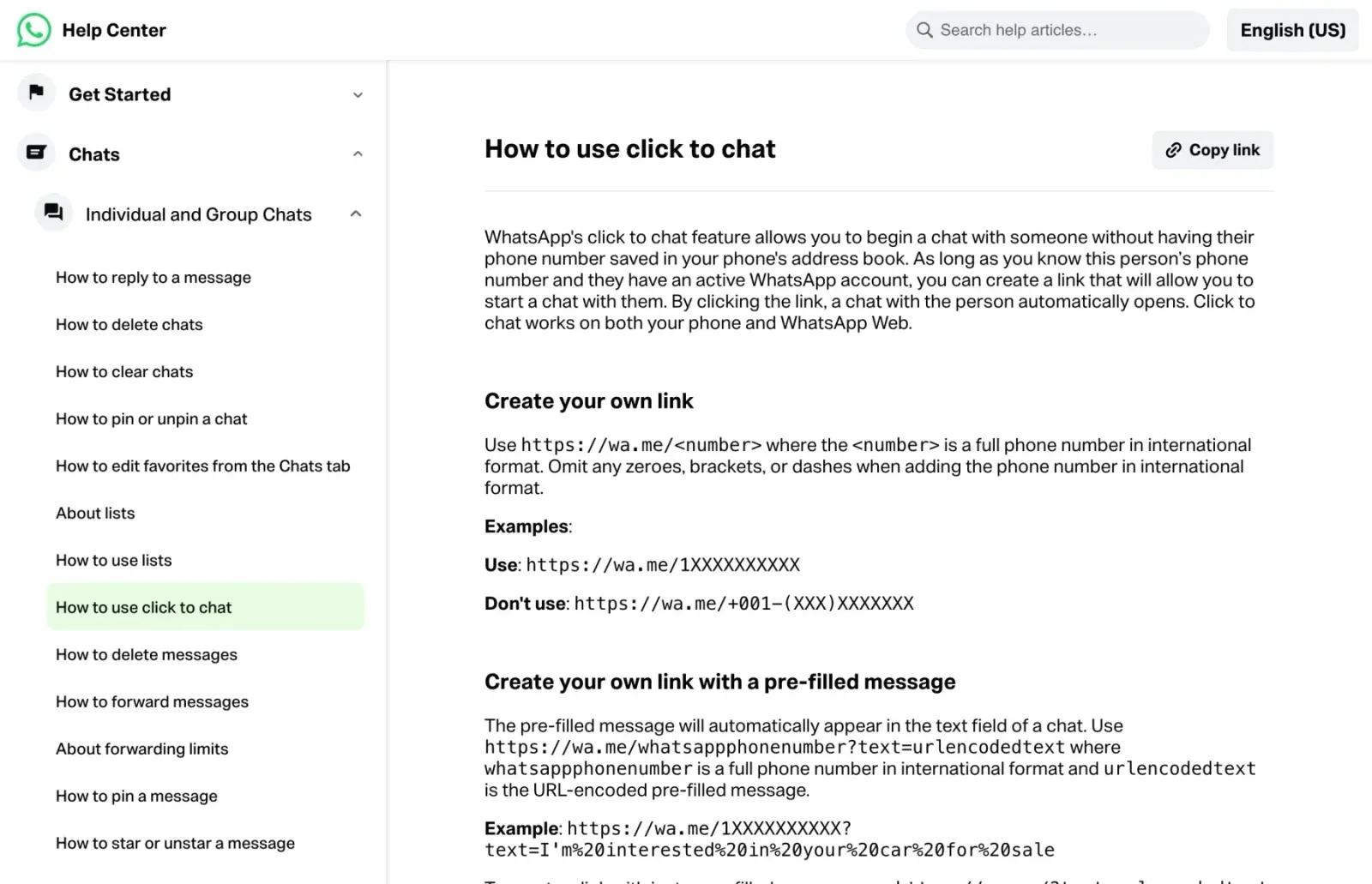
The pattern is the country code 60, then the number without its leading zero. A number written 012-345 6789 becomes 60123456789. The most common mistake is keeping the zero and sending people to 600123456789, which WhatsApp rejects as an invalid number, so the customer never reaches you.
The same conversion for the ways people usually write a Malaysian number:
| Number as written | In the link |
|---|---|
| 011-1234 5678 | 601112345678 |
| 012-345 6789 | 60123456789 |
| +60 12-345 6789 | 60123456789 |
| 012-345 6789 with the zero kept | 600123456789, invalid |
Use a WhatsApp Business account on a number that belongs to the business, not to a staff member who may leave. The business profile adds your hours, address and catalogue, and gives you labels and quick replies for handling leads.
2. The pre-filled message
Add ?text= to the link and the customer’s message is pre-written. Two reasons to do this. First, people hesitate when faced with a blank chat; “Hi, I would like a quotation for a business website” removes the hesitation. Second, the message tells you which page and which offer the person was looking at, which is the cheapest attribution you will ever get.
This is what a visitor sees after tapping the quotation button on my site from a desktop: the business name and the message already written, waiting to be sent.
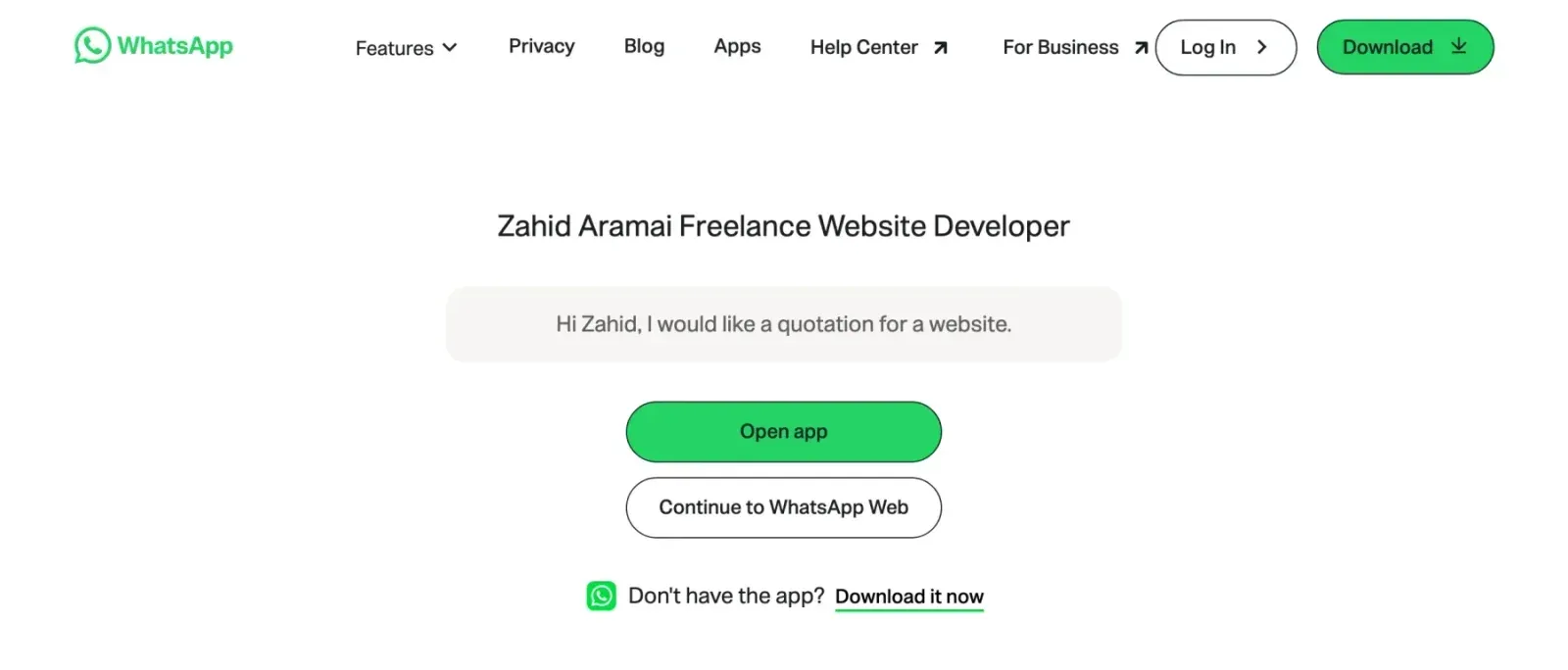
Write a different message for each placement: the home page, each service, each package on the pricing page, each product. Keep them short and natural, and remember that spaces and punctuation have to be URL-encoded; any online encoder does it, and WordPress link fields usually handle it for you.
These are the messages behind some of the buttons on my own site; each button also carries its own placement label for tracking:
| Button | Pre-filled message |
|---|---|
| Header, every page | Hi Zahid, I would like a quotation for a website. |
| Home page hero | Hi Zahid, I would like a quote for a website |
| Home page, speed service | Hi Zahid, my WordPress website is slow. Can you help speed it up? |
| Pricing, Landing Page card | Hi Zahid, I’m interested in the Landing Page package (from RM2,500). |
| Pricing, Business Website card | Hi Zahid, I’m interested in the Business Website package (from RM4,500). |
| Pricing, Website Care Plan card | Hi Zahid, I’m interested in the Website Care Plan package (from RM250/month). |
| Floating button on phones | Hi Zahid, I found your website and would like to ask about a project. |

How to build the encoded link
Write the message in plain words first, then encode it. A space becomes %20, a comma %2C, a question mark %3F, a new line %0A, and an ampersand %26. The ampersand matters most: left raw, it cuts your message off at that point.
| Sign and code | If left raw |
|---|---|
space %20 |
Usually fixed by the browser, not always |
comma %2C |
Mostly harmless, encode it anyway |
question mark %3F |
Can confuse some link fields |
new line %0A |
The line break is lost |
ampersand %26 |
The message stops at that point |
Plain message:
Hi, I would like a quotation for a business website.

Encoded link:
https://wa.me/601112345678?text=Hi%2C%20I%20would%20like%20a%20quotation%20for%20a%20business%20website.Here is how the messages might differ across a site, using the same number:
- Home page: “Hi, I found your website and would like to ask about a quotation.”
- Pricing page: “Hi, I am interested in the business website package. Can we talk?”
- Product page: “Hi, is this item in stock? (product name)”
- Contact page: “Hi, I would like to book a call.”
Each one tells you what the person wanted before you reply, so your first answer can be specific instead of a generic greeting.
Test every link on a real phone before it goes live. Tap it, read what appears in the chat box, and check that nothing is cut off. If you have a product page, put the product name in the message so you do not have to ask which one they mean.
3. Placement
The button belongs wherever a visitor has just read enough to want to talk: above the fold on the home page, at the end of each service description, next to each price, under each product, in the footer, and on the contact page as the first option.
| Placement | Its job |
|---|---|
| Header button | Always one tap away, on every page |
| Hero button | For visitors who are ready on the first screen |
| End of each service, next to each price | Catches the reader who now has the facts |
| Floating button, phones only | Stays visible while scrolling |
| Contact page, first option | The fastest route for people who came to talk |
| Thank-you and 404 pages | Recovers warm and lost visitors |
| Footer | A last chance after the full page |
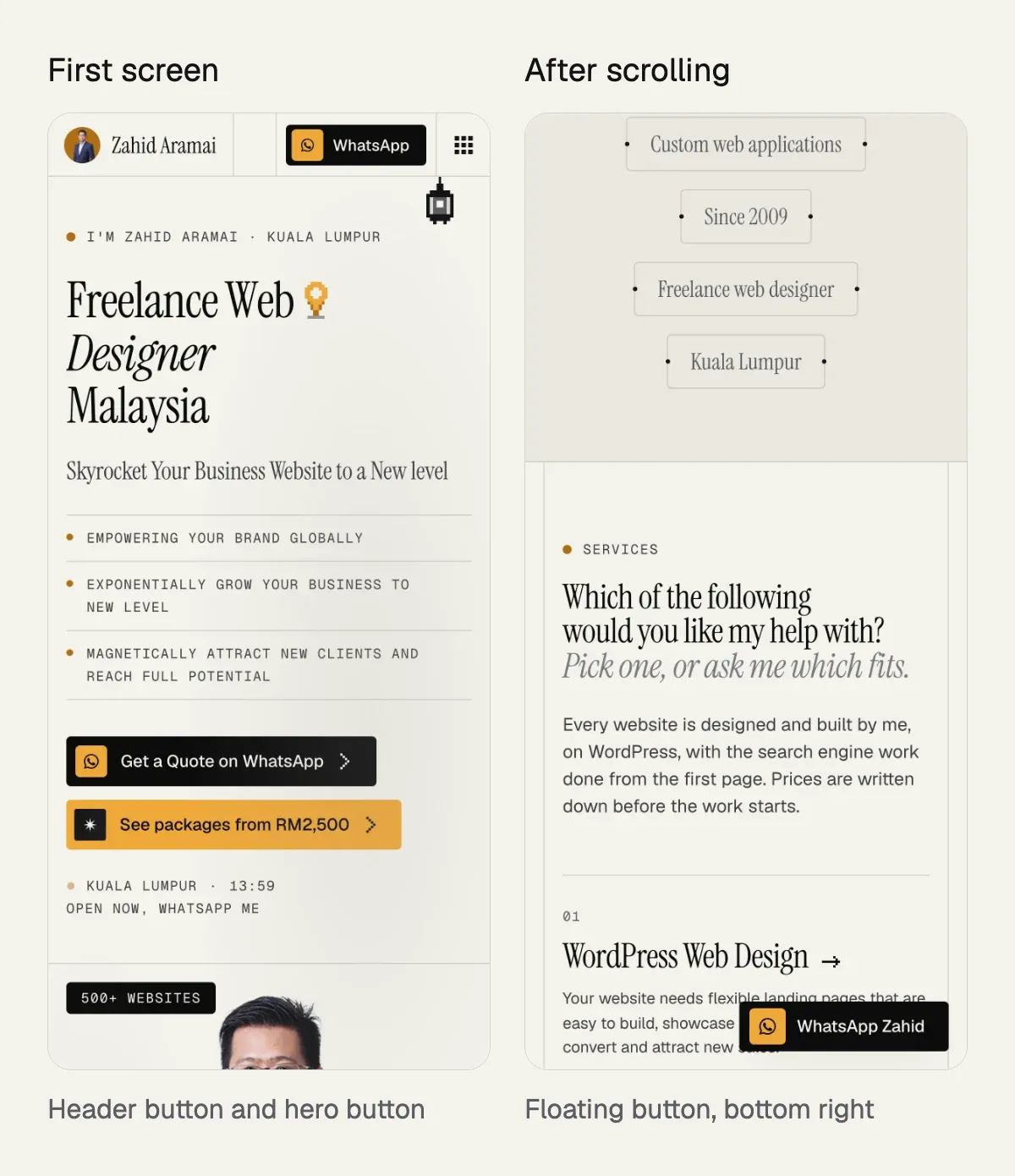
On phones add a floating button in the bottom corner that stays visible while scrolling. Keep it small and quiet; a bouncing green circle that covers the content annoys more than it converts. On the contact page itself, hide the floating button because the full contact block is already there.
Here is how that looks on my own site on a phone: the header and hero buttons on the first screen, and the floating button once the visitor scrolls past it.
Make it look like a button, not a text link, and label it with what happens: “WhatsApp Zahid”, “Get a quote on WhatsApp”, “Ask about this package”. The WhatsApp icon helps; the label does the work.
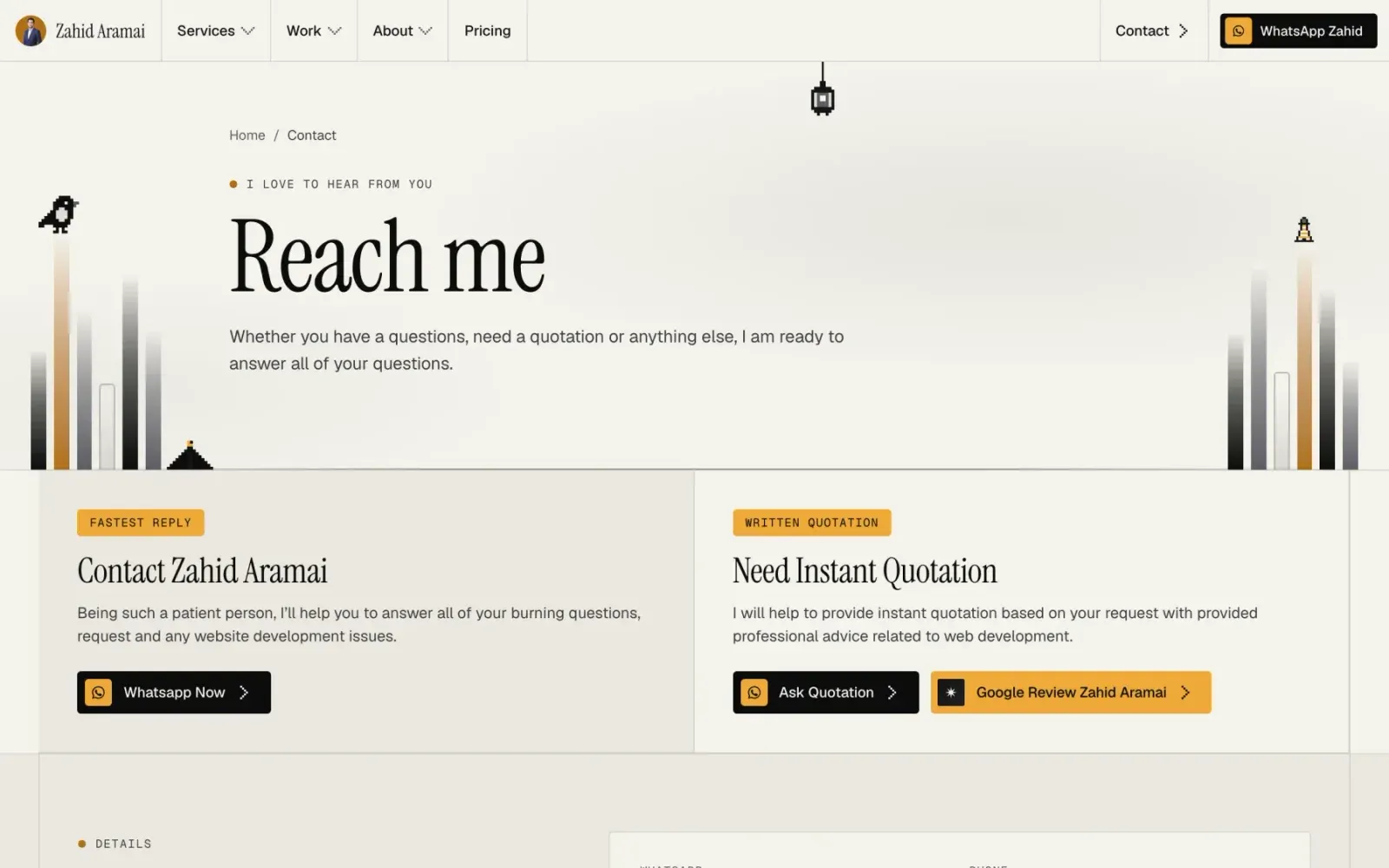
One more placement that is easy to forget: the thank-you or confirmation screen after a form is sent, and the 404 page. A visitor who has just filled in a form is the warmest lead on the site, and a visitor who hit a broken link is one tap from leaving. A WhatsApp button on both pages recovers conversations that would otherwise be lost.
Adding the button in WordPress and Elementor
You do not need a plugin. In Elementor, drag a Button widget onto the page, paste the encoded wa.me link into the Link field, and write the label. In the block editor, add a Buttons block and paste the link the same way. In a menu, add a Custom Link item and use the link as the URL.
| Where | What to do |
|---|---|
| Elementor | Button widget, link in the Link field |
| Block editor | Buttons block, link from the toolbar link icon |
| Menu | Custom Link item, link in the URL field |
| Floating button on phones | HTML widget or theme code with a placement attribute |
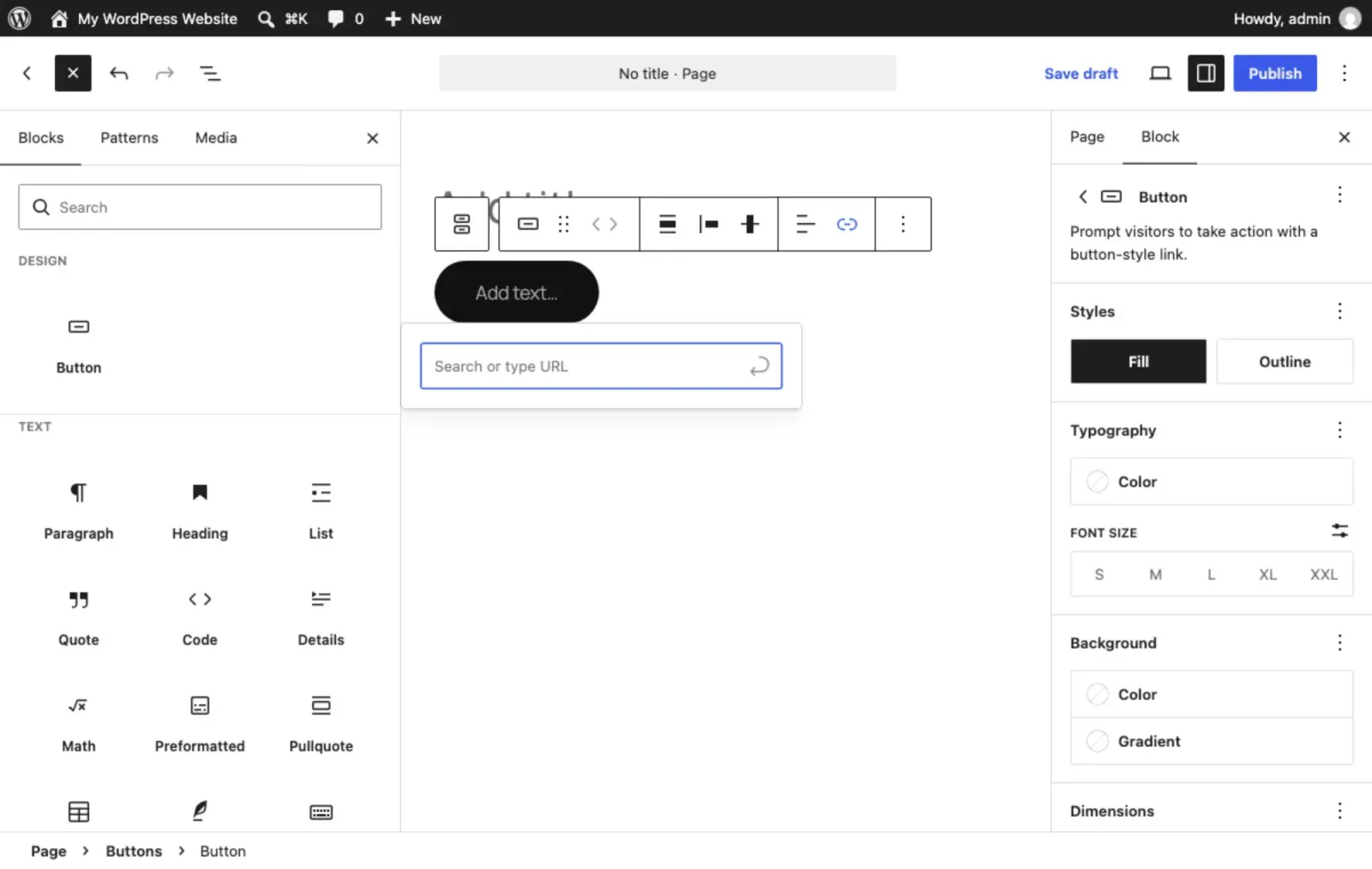
For the floating button on phones, add an HTML widget or a small block of theme code with a fixed-position link, and use a CSS media query to show it only below a tablet width. Give each button a data-placement attribute, which you will use for tracking in the next section.
<a class="wa-float"
   href="https://wa.me/601112345678?text=Hi%2C%20I%20have%20a%20question."
   data-placement="floating"
   aria-label="Chat on WhatsApp">WhatsApp</a>
Open the link in a new tab on desktop only if you must; on phones the default behaviour hands over to the WhatsApp app, which is what you want.
4. Measurement
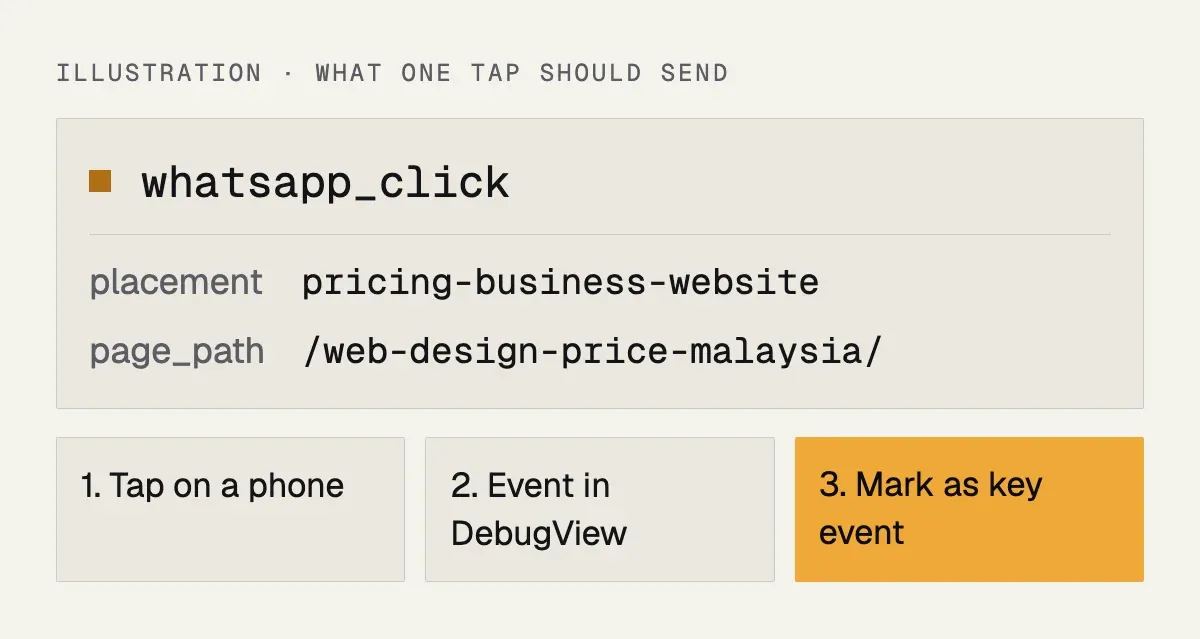
A button you cannot measure is a button you cannot improve. In Google Analytics 4, set up an event for clicks on links that contain wa.me and attach two parameters: the page path and a placement label such as hero, pricing-business-website or footer. Google Tag Manager does this in a few minutes; WordPress analytics plugins can do it too.
The event carries three pieces of information:
| Field | Example and source |
|---|---|
| Event name | whatsapp_click, sent by the script or the Tag Manager tag |
| Button label | hero or footer, read from the data-placement attribute |
| Page path | /contact-me/, the address of the page |
Once the event exists, mark it as a key event in GA4 and import it into Google Ads as a conversion if you advertise. Now a month of data tells you that the pricing page produces three times the WhatsApp taps of the services page, and you know where to put your effort. On the sites I build every WhatsApp link carries a placement attribute and the event is wired before launch, because adding it later means losing the baseline.
A simple GA4 click event
If you are not using Tag Manager, a few lines of script will send the event. It listens for clicks on any link to wa.me and sends the placement and page along with it.
<script>
document.addEventListener('click', function (e) {
  var link = e.target.closest('a[href*="wa.me"]');
  if (!link || typeof gtag !== 'function') return;
  gtag('event', 'whatsapp_click', {
    placement: link.dataset.placement || 'unknown',
    page_path: location.pathname
  });
});
</script>
After you publish, open GA4 and look at Realtime or DebugView, tap a button on your phone, and confirm the event appears with the right parameters. Then, in the GA4 admin under Events, mark whatsapp_click as a key event. To split the report by button, register placement as a custom dimension; it only starts filling in from the day you register it.
Remember that a tap is not a conversation. Some people tap and close WhatsApp without sending. The tap count is the best number you have on the website side, so judge pages by it, and judge the real result by counting the chats in your WhatsApp Business inbox.
5. Speed and privacy
A plain link weighs nothing. Chat widgets that load a floating window from a third-party server weigh a lot, slow the first paint and sometimes set tracking cookies you then have to disclose. If you want the floating button, build it as a link with a little CSS, not as a widget. If you need multiple agents or routing, use the WhatsApp Business app’s features or the API rather than a front-end widget.
| Plain link | Chat widget | |
|---|---|---|
| Script from another server | None | Yes |
| Effect on the first paint | None | Can slow it |
| Cookies to disclose | None from the button | Sometimes |
| Works without JavaScript | Yes | No |
6. Answering
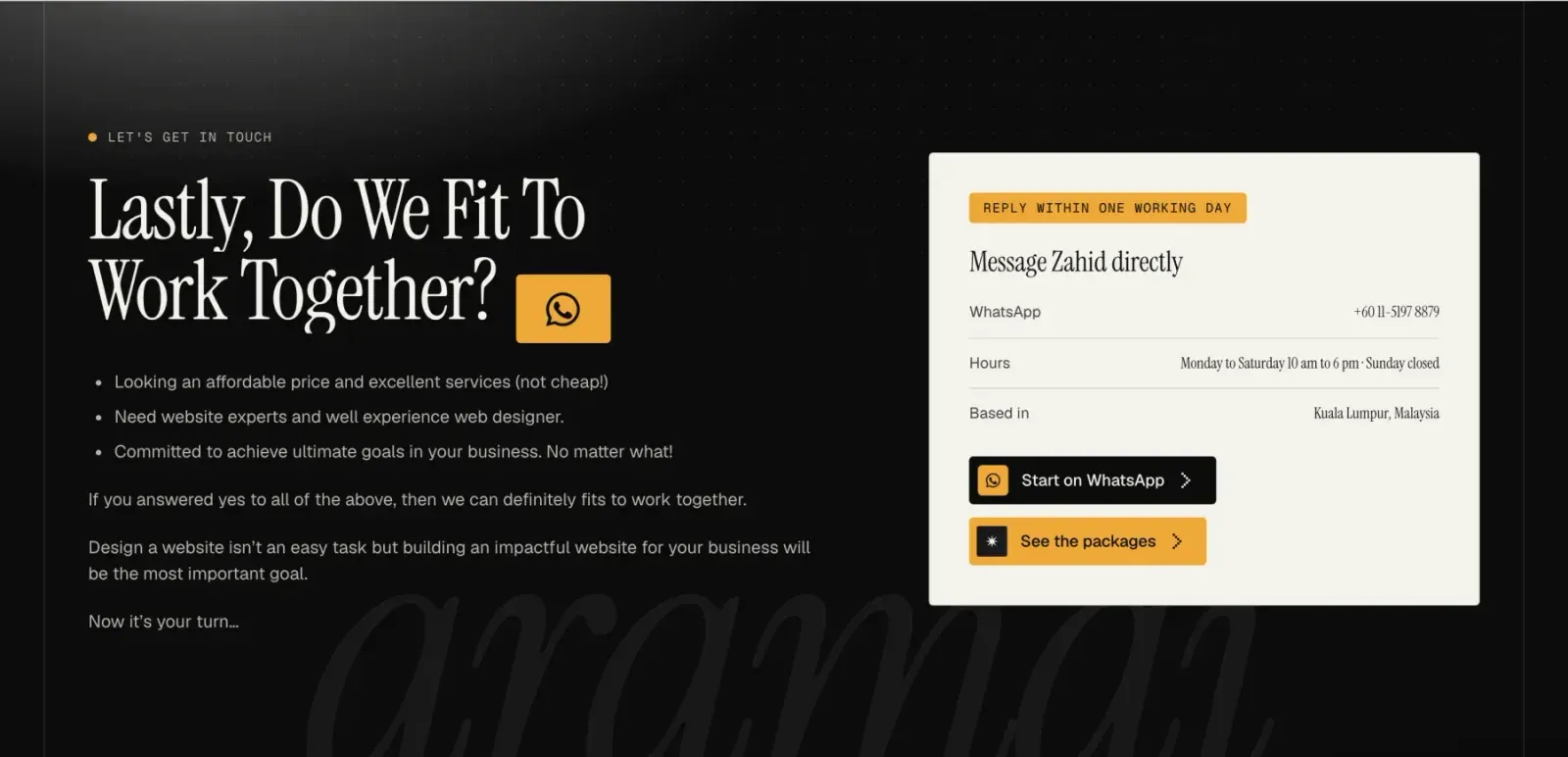
The button only converts if the reply is quick. State your reply window on the site (“replies within one working day”, or “Mon to Sat, 10 am to 6 pm”) and set an away message in WhatsApp Business for the hours you are closed. A lead that waits a day for a first reply has usually messaged two competitors by then.
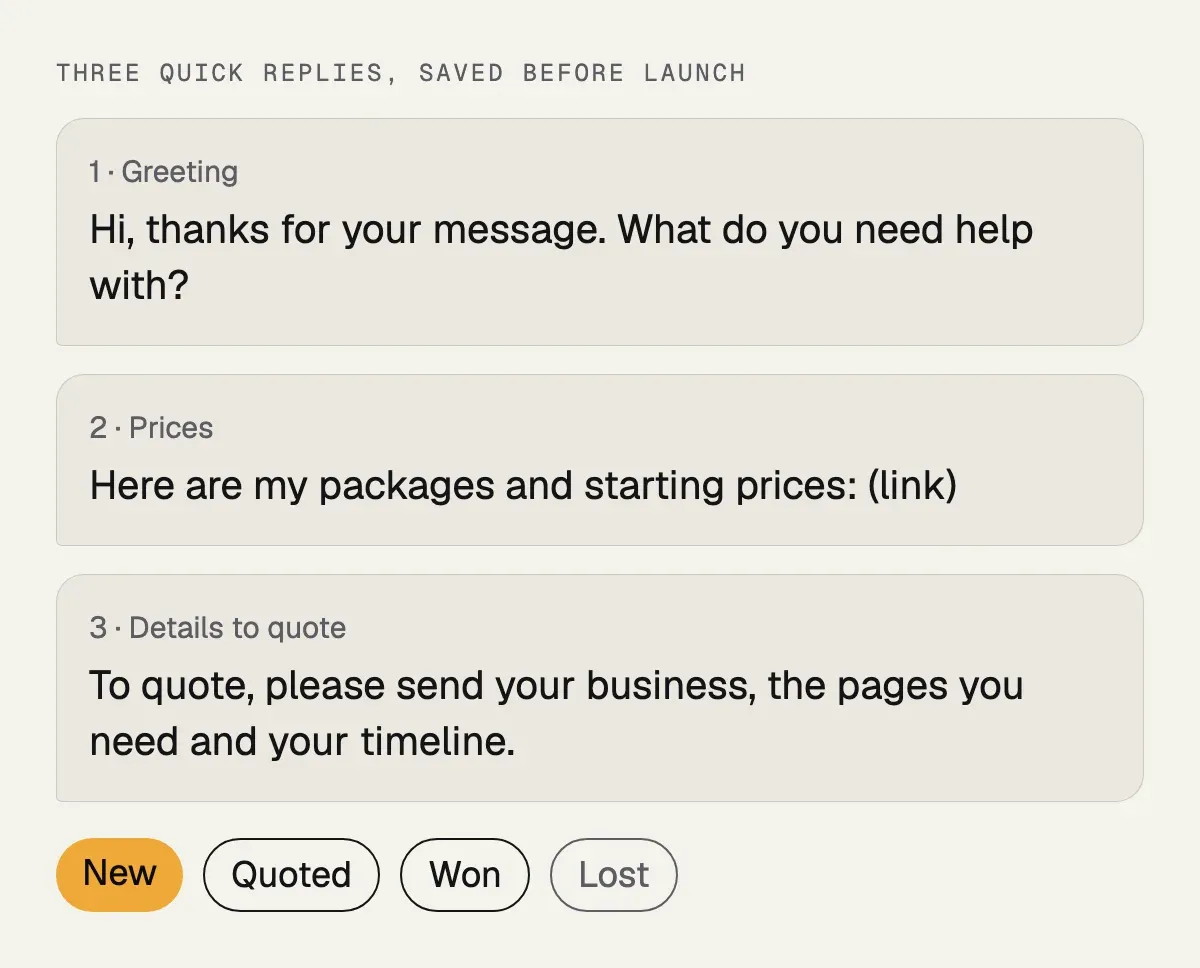
Set up three quick replies before you launch: a greeting that asks what they need, a reply with your prices or a link to them, and a reply that asks for the details you need to quote. Keep each reply short and in the customer’s language, whether that is English or Bahasa Malaysia. Use labels to mark each chat as new, quoted, won or lost, so the inbox doubles as a simple lead list.
Common mistakes and how to fix them
- Leading zero in the number. WhatsApp says the number is invalid and the enquiry is lost. Drop the zero and start with 60.
- A plus sign or spaces in the link. Use digits only after
wa.me/. - Raw spaces or ampersands in the message. Encode them, then retest on a phone.
- One message everywhere. You lose the source of the lead. Use a different message per placement.
- A personal number. When that person leaves, the leads go with them. Use a business number.
- Floating button covering the content or the cookie notice. Move it, shrink it, or hide it on pages where it gets in the way.
- Never testing on a real phone. Desktop and mobile behave differently; check both before launch.
Before launch, run these five tests on every page that has a button:
| Test | Passes when |
|---|---|
| Tap each button on a phone | The chat opens with your business name |
| Read the chat box | The whole message is there |
| Click a button on a laptop | WhatsApp Web or the app opens |
| Scroll a page on a phone | The floating button covers no text and no cookie notice |
| Tap, then open GA4 DebugView | whatsapp_click arrives with the right placement |
What this looks like on a real site
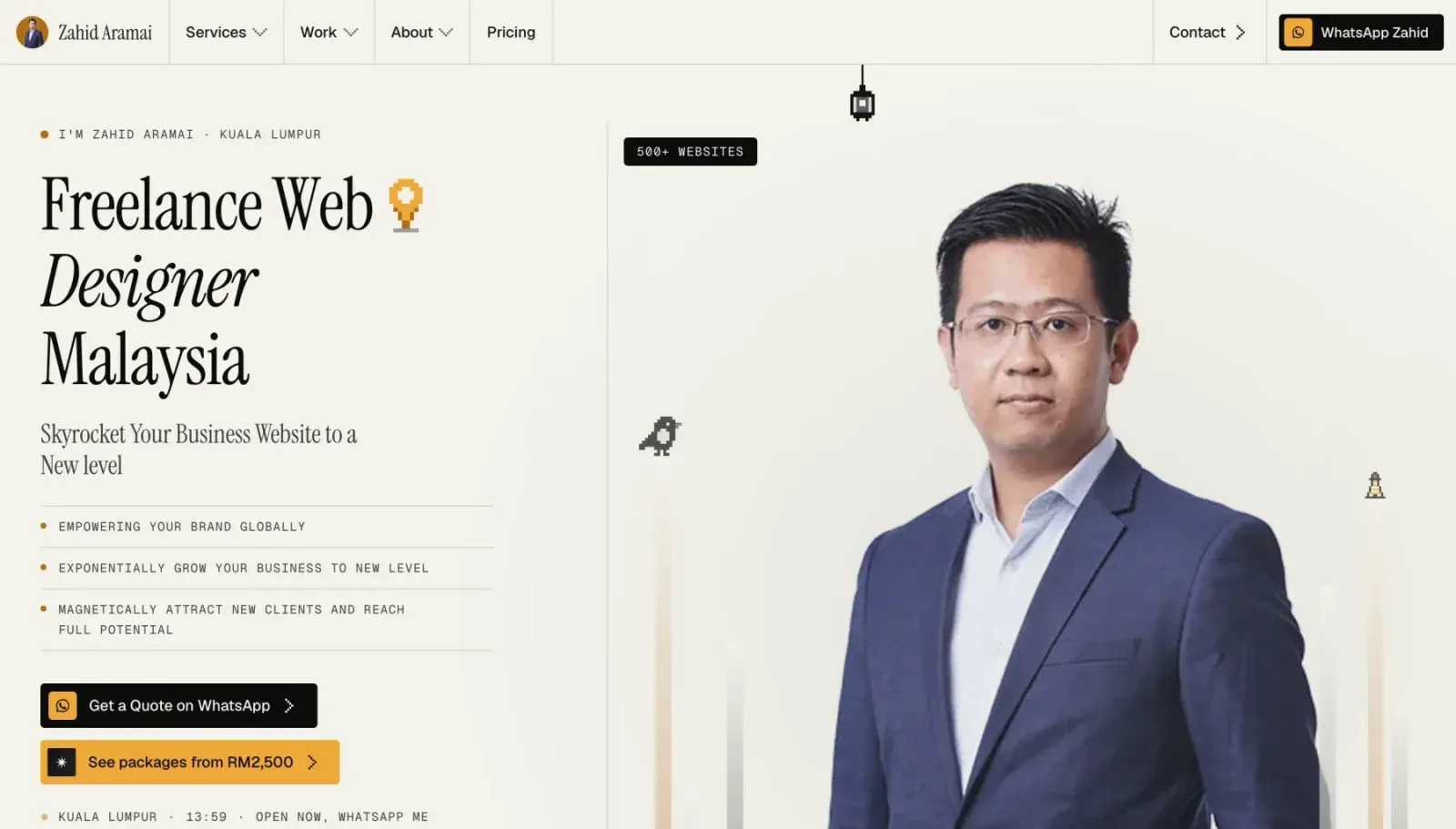
On my own site every page has a WhatsApp button with its own message, the home page shows my local time and whether I am open, the floating button appears only on phones and hides on the contact page, and every tap is counted with its placement. It is a small amount of work once, and it is the difference between knowing which pages bring clients and guessing.
If your site also needs to be found, the buttons work best next to a good Google Business Profile and pages built for local searches such as web design in Kuala Lumpur.
If you would like the same on your site, it is part of every website I build; the service is described on the freelance web designer page and the prices on the pricing page. If you already have a site and only want the buttons and tracking set up, send the address on WhatsApp and I will quote it as a small job.